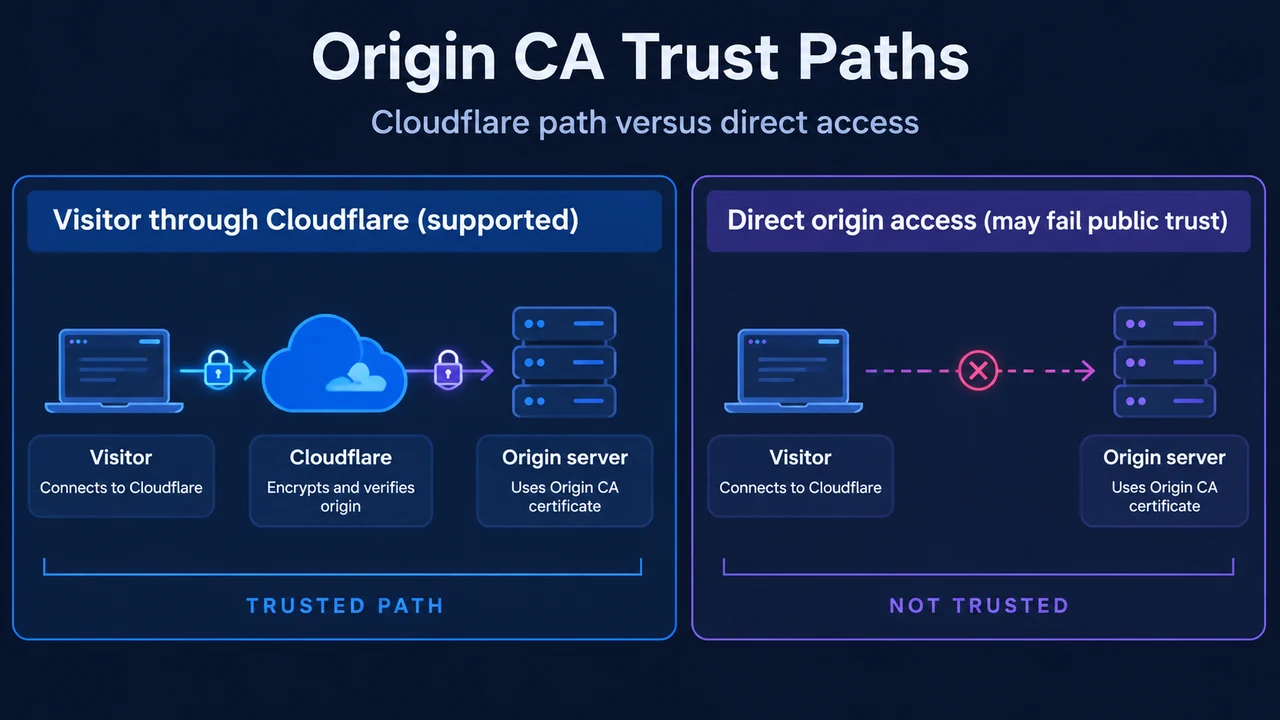
Cloudflare Origin CA certificates encrypt web traffic between Cloudflare edge servers and your origin web server. When your origin server only receives traffic from proxied DNS records, an Origin CA certificate satisfies Cloudflare’s Full (strict) SSL/TLS mode requirements.
Full (Strict) SSL/TLS Requirements
In Full (strict) mode, Cloudflare verifies that the certificate presented by your origin meets three criteria:
- Unexpired: The certificate presents
notBeforeDate < now() < notAfterDate. - Trusted Issuer: The certificate is issued either by a publicly trusted Certificate Authority (CA) or by Cloudflare Origin CA.
- Matching Hostname: The certificate contains a Common Name (CN) or Subject Alternative Name (SAN) that matches the requested or target hostname.
Before enabling Full (strict) mode, your origin server must allow HTTPS connections on port 443 and present a valid certificate matching these requirements. If these conditions are not satisfied, visitors may encounter a 526 error.
Generating an Origin CA Certificate
Origin CA certificates are available on Free, Pro, Business, and Enterprise plans. To create a certificate in the Cloudflare dashboard:
- Navigate to the Origin Server page under SSL/TLS.
- On the Origin Certificates tab, select Create Certificate.
- Choose a private key generation method:
- Generate private key and CSR with Cloudflare: Select a private key type of RSA or ECC.
- Use my private key and CSR: Paste your Certificate Signing Request (CSR) into the provided field.
- List the hostnames the certificate should protect. By default, the zone apex and the first-level wildcard (such as
*.example.com) are populated. - Choose a Certificate Validity period and select Create.
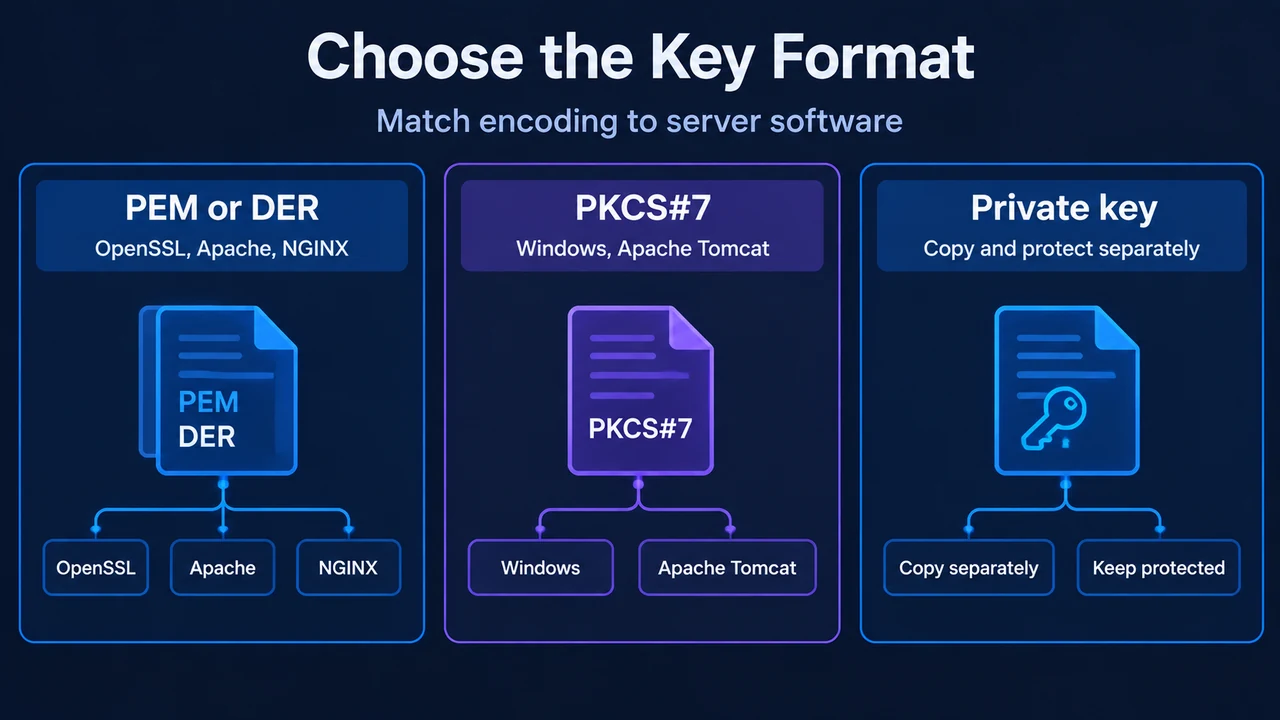
- Choose the Key Format. Servers using OpenSSL (such as Apache and NGINX) generally expect PEM files (Base64-encoded ASCII), though binary DER files are also supported. Servers using Windows and Apache Tomcat require PKCS#7 (
.p7b) files. - Copy the signed Origin Certificate and Private Key into separate files. For security reasons, the private key cannot be retrieved after leaving this screen.
- Select OK.
Subject Alternative Name (SAN) Rules
Cloudflare Origin CA certificates enforce the following hostname rules:
- Each certificate supports up to 200 individual Subject Alternative Names (SANs).
- SAN entries can be fully qualified domain names (such as
www.example.com) or wildcards (such as*.example.com). - A wildcard covers only a single subdomain level, but multiple wildcards can coexist on the same certificate (for example,
*.example.comand*.secure.example.com). - IP addresses cannot be used as SANs on Cloudflare Origin CA certificates.
General Origin Deployment Steps
To prepare your origin web server for Cloudflare Full (strict) mode:
- Upload the generated Origin CA certificate and private key files to your origin web server.
- Update your origin web server configuration to point to the certificate files.
- If required by your web server software, download and upload the Cloudflare Origin CA root certificate (certificate chain) in RSA PEM or ECC PEM format. The documentation specifies that the ECC PEM version should not be used with Apache cPanel.
- Enable SSL and port 443 on your origin web server.
Enabling Full (Strict) SSL/TLS Mode
After installing the certificate and confirming port 443 serves HTTPS at the origin:
- In the Cloudflare dashboard, go to the SSL/TLS Overview page.
- Under SSL/TLS encryption mode, select Full (strict).
If some origin hosts lack certificates, you can set the encryption mode to Full (strict) for a specific application using a Page Rule while leaving other hosts on different settings. In the Cloudflare API, update the mode by sending a PATCH request with ssl in the URI path and setting the value parameter to strict.
Revoking Certificates and API Automation
If private keys are compromised or a certificate should no longer be trusted, revoke it in the dashboard under SSL/TLS > Origin Server > Origin Certificates by selecting the certificate and clicking Revoke. Revocation cannot be undone. To avoid visitor warnings during revocation, temporarily change encryption mode to Full or Flexible globally or via a Page Rule.
To manage Origin CA certificates via the API, authenticate using an API token with Zone - SSL and Certificates - Edit permissions against these endpoints:
- List certificates:
GET certificates?zone_id=<<ZONE_ID>> - Create certificate:
POST certificates - Get certificate:
GET certificates/<<ID>> - Revoke certificate:
DELETE certificates/<<ID>>
Research Method and Limitations
This article was prepared directly from public Cloudflare technical documentation excerpts for Origin CA and Full (strict) SSL/TLS modes retrieved on 2026-09-17. The supplied evidence details Cloudflare dashboard generation steps, key format selections, SAN restrictions, root CA chain options, and API endpoints, but does not provide complete web server configuration directives or virtual host syntax for Apache or NGINX. Competing search coverage redirected to a marketing index page without usable setup text. Cloudflare Origin CA certificates are intended exclusively to encrypt traffic between Cloudflare and your origin; because they are not signed by a public root CA, direct client connections bypassing Cloudflare trigger authority trust errors (such as NET::ERR_CERT_AUTHORITY_INVALID).
Text version of the diagrams
- Origin CA Trust Paths: Visitor — Connects to Cloudflare; Cloudflare — Encrypts and verifies origin; Origin server — Uses Origin CA certificate
- Choose the Key Format: PEM or DER — OpenSSL, Apache, NGINX; PKCS#7 — Windows, Apache Tomcat; Private key — Copy and protect separately