When Nginx proxies traffic to a backend over HTTPS, verifying the backend server’s certificate and sending the proper Server Name Indication (SNI) extension secure the connection. By default in the Nginx ngx_http_proxy_module, certificate verification is disabled, and SNI extension transmission is turned off. This guide explains how to configure upstream TLS verification and SNI negotiation using directives documented in the official Nginx ngx_http_proxy_module documentation.
Default TLS Behavior for Proxied HTTPS Connections
According to the official Nginx ngx_http_proxy_module documentation, Nginx establishes proxied connections without validating the upstream certificate unless verification directives are explicitly configured:
proxy_ssl_verifydefaults tooff. In its default state, Nginx does not verify the certificate presented by the proxied HTTPS server.proxy_ssl_server_namedefaults tooff. By default, Nginx does not pass the server name via the TLS Server Name Indication (SNI, RFC 6066) extension when connecting to the upstream server.proxy_ssl_namedefaults to$proxy_host. By default, the host part of theproxy_passURL is used to verify the certificate of the proxied HTTPS server and to be passed through SNI.proxy_ssl_trusted_certificatehas no default value (unset). Nginx does not define a default Certificate Authority (CA) bundle for upstream validation.proxy_ssl_verify_depthdefaults to1.
Core Directives for Upstream TLS Verification
To enable and configure certificate verification for proxied HTTPS servers, Nginx provides several directives in the http, server, and location contexts.
proxy_ssl_verify
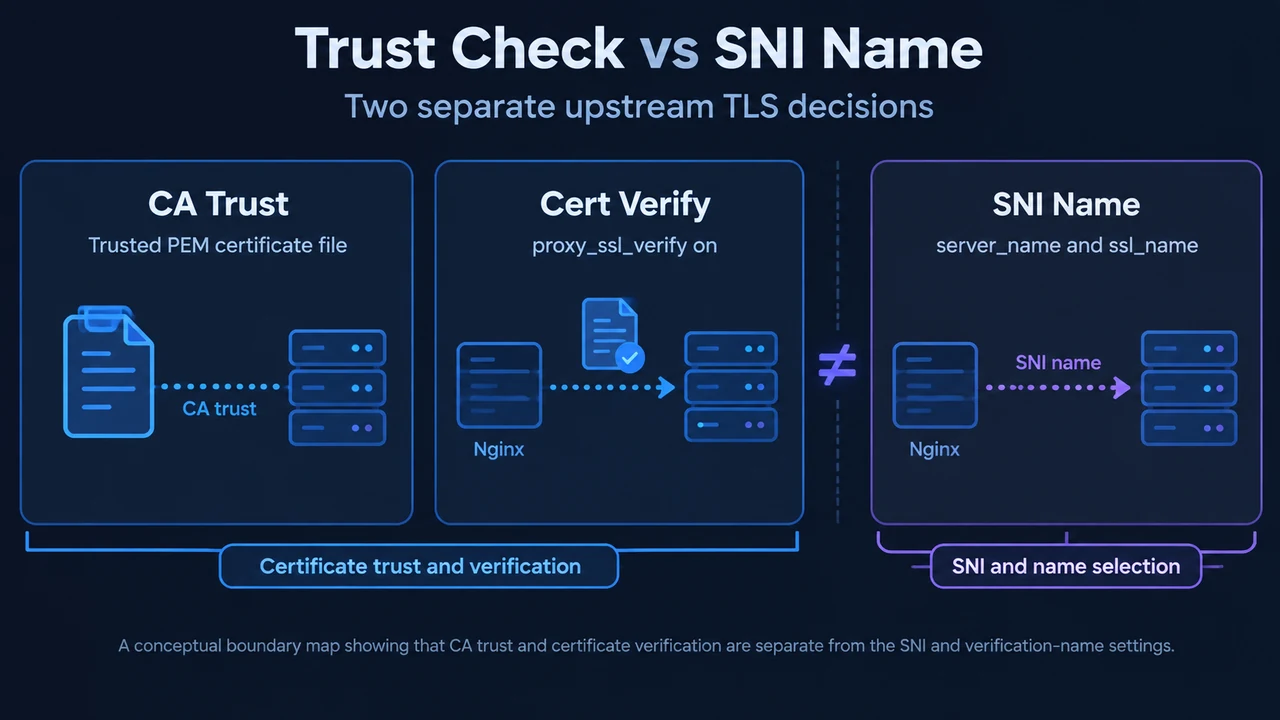
The proxy_ssl_verify directive appeared in Nginx version 1.7.0. It accepts either on or off. Setting this directive to on enables verification of the proxied HTTPS server certificate.
proxy_ssl_trusted_certificate
The proxy_ssl_trusted_certificate directive, introduced in Nginx 1.7.0, specifies a file with trusted CA certificates in PEM format used to verify the certificate of the proxied HTTPS server. Note that the path to the trusted CA bundle is system- and distribution-specific, and the referenced file must exist on the local filesystem for Nginx to read it.
proxy_ssl_verify_depth
The proxy_ssl_verify_depth directive (introduced in Nginx 1.7.0) sets the verification depth in the proxied HTTPS server certificates chain. Its default value is 1.
proxy_ssl_crl
The proxy_ssl_crl directive (introduced in Nginx 1.7.0) specifies an optional file with revoked certificates (CRL) in PEM format used to verify the certificate of the proxied HTTPS server. As documented by Nginx, when using intermediate certificates, their CRLs should be specified in the same file.
Configuring Server Name Indication (SNI) and Hostname Verification
When connecting to an upstream HTTPS endpoint, Nginx controls SNI and certificate name matching via the following directives.
proxy_ssl_server_name
Introduced in Nginx 1.7.0, proxy_ssl_server_name on | off enables or disables passing of the server name through the TLS Server Name Indication extension (SNI, RFC 6066) when establishing a connection with the proxied HTTPS server.
proxy_ssl_name
The proxy_ssl_name directive appeared in Nginx 1.7.0 and defaults to $proxy_host. It allows overriding the server name used to verify the certificate of the proxied HTTPS server and to be passed through SNI when establishing a connection with the proxied HTTPS server. By default, the host part of the proxy_pass URL is used.
Directive Summary
| Directive | Default | Valid Contexts | First Appeared | Documented Purpose |
|---|---|---|---|---|
proxy_ssl_verify |
off |
http, server, location |
1.7.0 | Enables or disables verification of the proxied HTTPS server certificate. |
proxy_ssl_trusted_certificate |
None | http, server, location |
1.7.0 | Specifies a file with trusted CA certificates in PEM format used to verify the certificate. |
proxy_ssl_server_name |
off |
http, server, location |
1.7.0 | Enables or disables passing of the server name through TLS SNI (RFC 6066). |
proxy_ssl_name |
$proxy_host |
http, server, location |
1.7.0 | Overrides the server name used to verify the certificate and passed through SNI. |
proxy_ssl_verify_depth |
1 |
http, server, location |
1.7.0 | Sets the verification depth in the proxied HTTPS server certificates chain. |
proxy_ssl_session_reuse |
on |
http, server, location |
— | Determines whether SSL sessions can be reused when working with the proxied server. |
Supported Configuration Scenarios
The following examples demonstrate how directives documented in the ngx_http_proxy_module apply to proxy configurations within a location context.
Enabling Certificate Verification
To configure certificate verification when proxying to an HTTPS upstream, specify a trusted CA certificate file and enable verification. The path to the CA bundle is OS- and distribution-specific and must exist on your host:
location /backend/ {
    proxy_pass https://backend.example.internal;
    proxy_ssl_verify on;
    proxy_ssl_trusted_certificate /etc/ssl/certs/ca-bundle.crt;
    proxy_ssl_verify_depth 2;
}
Enabling SNI and Specifying the Verification Name
To pass the server name via SNI and override the name used for verification, enable proxy_ssl_server_name and configure proxy_ssl_name:
location /api/ {
    proxy_pass https://backend.example.internal;
    proxy_ssl_server_name on;
    proxy_ssl_name api.example.com;
    proxy_ssl_verify on;
    proxy_ssl_trusted_certificate /etc/ssl/certs/ca-bundle.crt;
}
Troubleshooting Documented TLS Errors
The official documentation notes specific troubleshooting guidance for upstream TLS issues:
- Session reuse digest errors: If the error message
"digest check failed"appears in the logs, the documentation recommends trying disabling session reuse:proxy_ssl_session_reuse off;By default,
proxy_ssl_session_reuseison. - Direct OpenSSL commands: The
proxy_ssl_conf_commanddirective (introduced in version 1.19.4 for OpenSSL 1.0.2+) allows setting arbitrary OpenSSL configuration commands. However, the documentation notes: “Note that configuring OpenSSL directly might result in unexpected behavior.”
Text version of the diagrams
- Trust Check vs SNI Name: CA Trust — Trusted PEM certificate file; Cert Verify — proxy_ssl_verify on; SNI Name — server_name and ssl_name
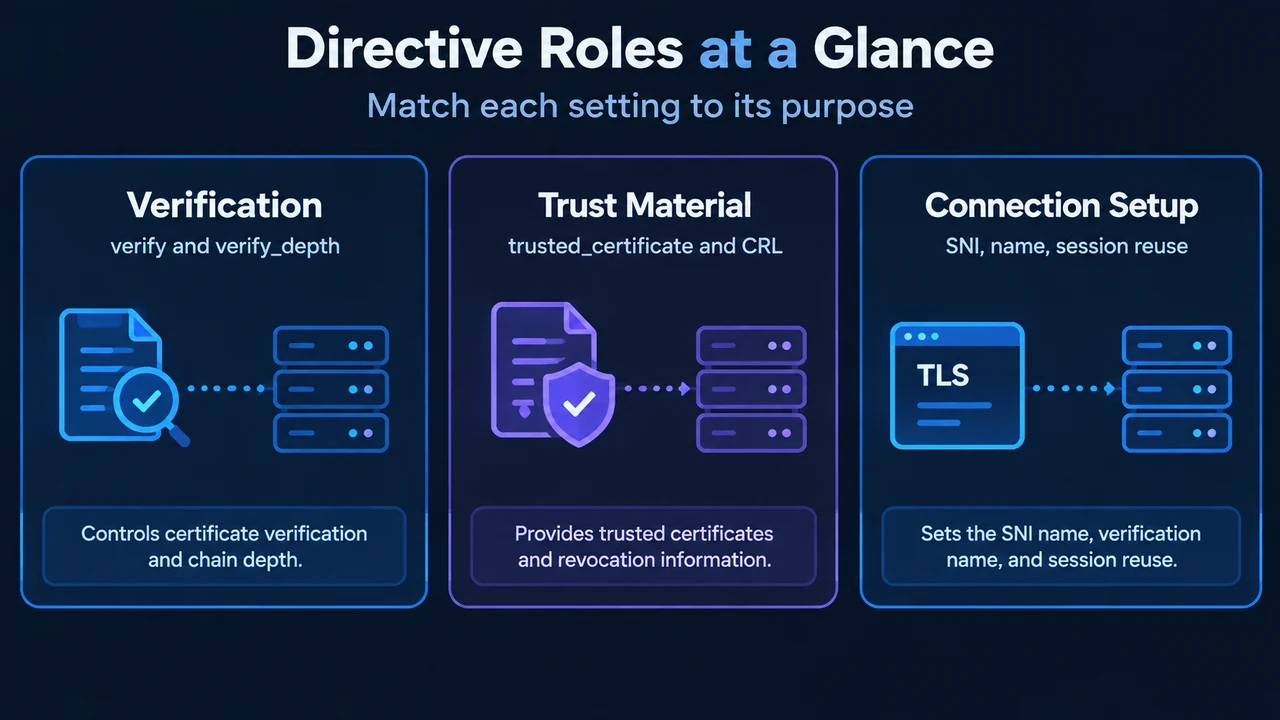
- Directive Roles at a Glance: Verification — verify and verify_depth; Trust Material — trusted_certificate and CRL; Connection Setup — SNI, name, session reuse
Research Methodology and Limitations
This article was prepared using strictly the visible public source excerpts from the official Nginx ngx_http_proxy_module documentation. Passages in the supplied evidence were truncated, and no external search results or competing coverage were available for comparison. The scope is limited strictly to documented syntax, defaults, and context rules of the ngx_http_proxy_module directives. This review includes no hands-on lab benchmarks, uptime testing, or performance evaluations.