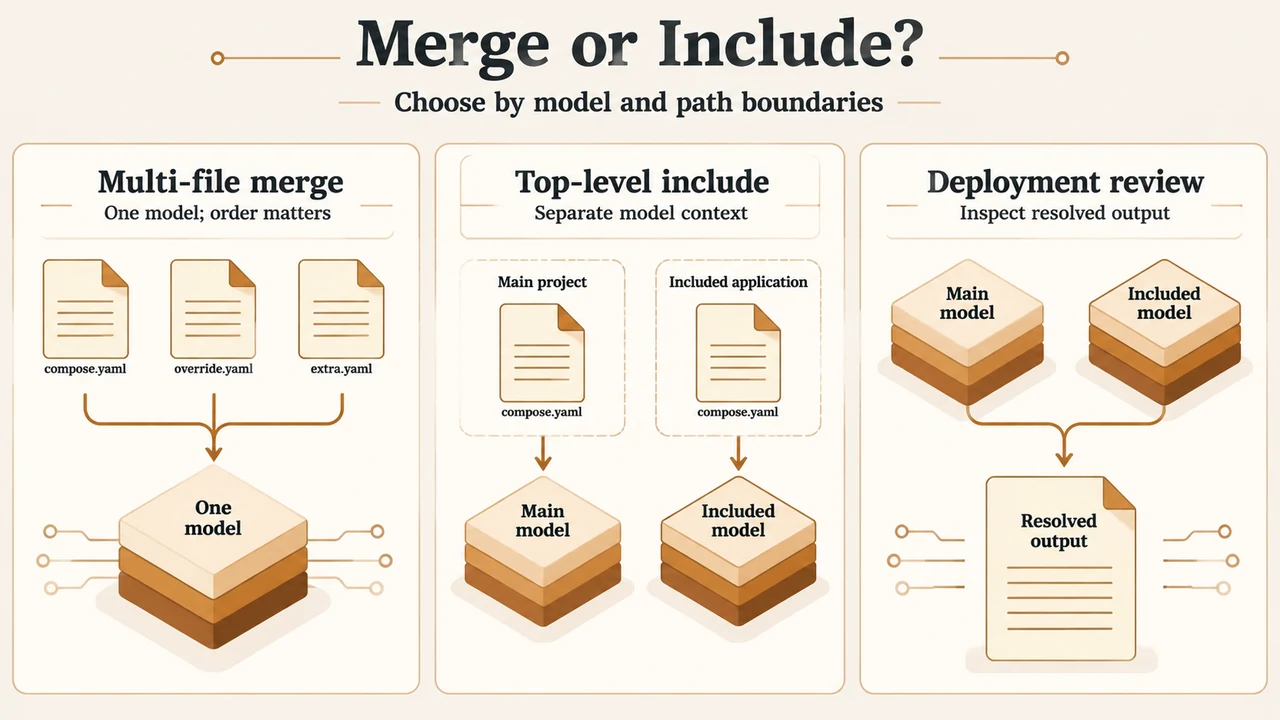
Short answer: use include when you want to reuse or modularize another Compose application as a separate sub-project. Use ordinary multi-file merging when you want Compose to combine files into one application model using file-order override and list-append rules. Before starting services, inspect the resolved result with docker compose config.
This scope applies to the Docker Compose include feature documented as requiring Compose 2.20.0 and later. It is a research-based explanation prepared from the supplied Docker documentation excerpts; it contains no hands-on, laboratory, benchmark, or comprehensive compatibility testing.
What the two approaches mean
Ordinary multi-file merging combines Compose files selected for one application model. Simple attributes and maps are overridden by the highest-order file, while lists are merged by appending. Relative paths for complementary files in other folders are resolved from the first Compose file’s parent folder. The exact result therefore depends on file order and the merge rules described by Docker.
include instead loads each listed file as an individual Compose application model. The included model has its own project directory for resolving relative paths. After loading, its resource definitions are copied into the current application model. Included volumes, networks, and other resources can then be used by services in the current model.
The distinction matters when a separately maintained application or sub-domain should retain its own path context. It also matters when you need conflicts to be visible: Docker says include warns when resource names conflict and does not try to merge those resources.
Path and environment boundaries
With the short include syntax, the parent folder of the included file is the project directory. Relative paths inside that included Compose file are resolved from the included file’s own path, rather than from the local project’s directory.
The short syntax also permits an optional .env file in that project directory to supply interpolation defaults. Values from the local project’s environment override those defaults. With long syntax, project_directory lets you define the base path for relative paths, and env_file lets you select one or more files for interpolation defaults.
These are configuration-loading rules, not a promise that every referenced file is safe or suitable for deployment. Check the path, the environment inputs, and the resulting values before rollout.
Recursive includes and conflicts
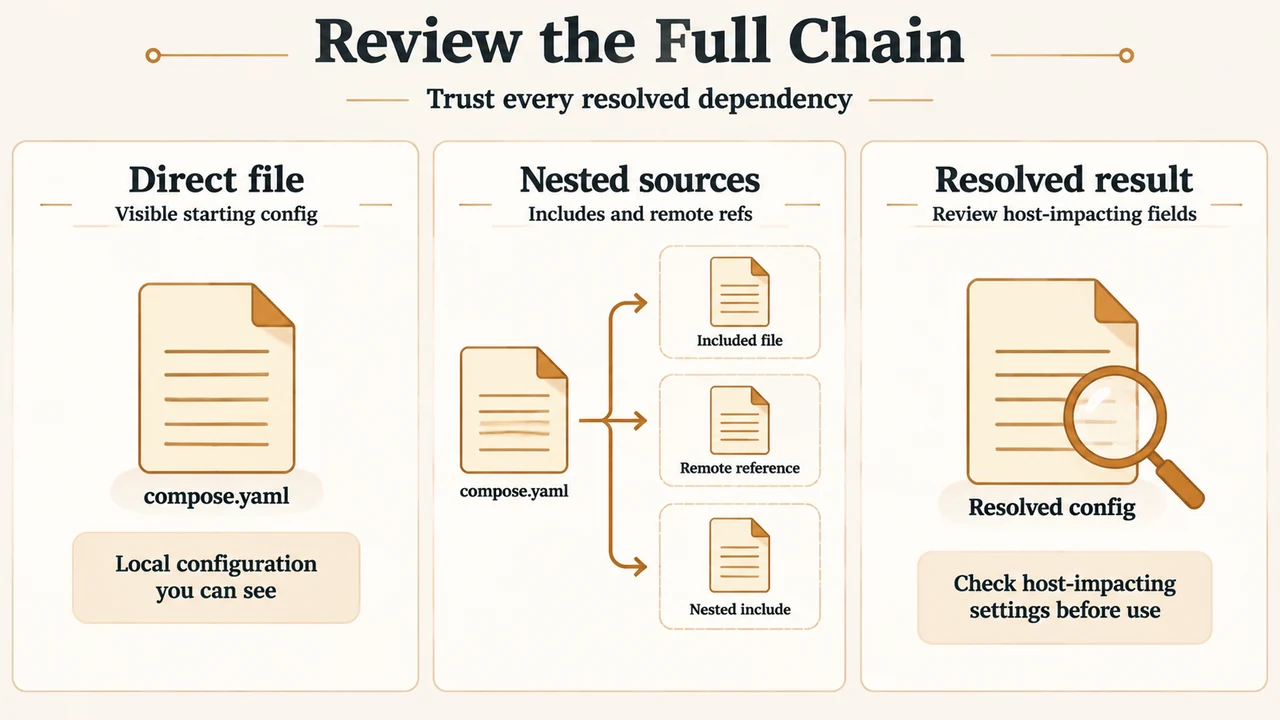
include is recursive. If an included Compose file declares its own include section, those further files are included as well. A top-level review is therefore incomplete if it ignores nested references.
Docker’s trust-model documentation says Compose treats every Compose file as trusted input and applies requested configuration as written. A file can request settings that affect how containers interact with the host. The documented examples include privileged, added Linux capabilities, security profiles, host bind mounts, host networking, host PID sharing, devices, file-reading references, and the provider mechanism.
Docker also documents remote Compose references, including OCI references, for dependency chains. Remote references can be chained through include and extends. Docker recommends reviewing every reference, pinning remote references to immutable digests instead of mutable tags, and treating a digest change as a code change.
A practical pre-deployment review
- Identify the Compose version and confirm that the documented
includefeature is in scope: Docker documents it for Compose 2.20.0 and later. - List every top-level and nested
include, along with any remote reference. Do not assume the first file shows the complete dependency chain. - Check each included file’s project directory and interpolation environment. Confirm which relative paths and
.envor explicitenv_fileinputs will be used. - Run
docker compose configand inspect the resolved output. Docker documents this command as showing resolved includes,extends, merged overrides, and interpolated variables. - Review resource conflicts and host-impacting fields before running
uporcreate. Pay particular attention to privileges, capabilities, mounts, namespaces, devices, file references, images, and provider entries. - For remote sources, review Compose’s confirmation prompts for interpolation variables, environment values, and remote includes before accepting them.
- Send the resolved configuration through the normal code-review process before deployment, especially in CI/CD environments that may have access to credentials, cloud tokens, or Docker sockets.
The review command displays configuration; it does not by itself establish that the configuration is safe. Safety still depends on understanding and trusting every source and resolved setting.
When each approach is clearer
| Need | Documented fit |
|---|---|
| Combine a base file and overrides into one application model | Ordinary multi-file merge, with file-order override and list-append behavior |
| Reuse a separately managed Compose application or sub-domain | include, which loads an individual model with its own project directory |
| Keep relative paths tied to the included file’s location | include |
| Detect resource-name conflicts without merging them | include |
| Use remote dependencies | Docker documents remote references for dependency chains, but requires trust review and recommends immutable digests |
There is no universal security guarantee in choosing one syntax. Docker’s trust boundary is the author and the complete dependency chain, not whether a file is local, in a repository, or in an OCI registry.
Limitations and research method
This article was prepared only from the supplied public Docker documentation excerpts retrieved on 2026-09-20, plus one supplied competitor excerpt used for coverage review. The primary excerpts describe the documented model, path and interpolation rules, recursive inclusion, trust considerations, and configuration inspection. They do not establish behavior for every Compose release, every plugin, every registry, or every deployment platform. No hands-on test, lab result, benchmark, or comprehensive review was performed. The supplied competitor passage was truncated and is not used as authority for Docker’s technical behavior.
Text version of the diagrams
- Merge or Include?: Multi-file merge — One model; order matters; Top-level include — Separate model context; Deployment review — Inspect resolved output
- Review the Full Chain: Direct file — Visible starting config; Nested sources — Includes and remote refs; Resolved result — Review host-impacting fields
Primary documentation
- Docker Compose include reference — include scope, project directories, environment files, recursion, and conflicts.
- Docker Compose application model — ordinary multi-file merging and Compose model concepts.
- Docker Compose trust model — dependency-chain review, host-impacting settings, remote references, and
docker compose config.