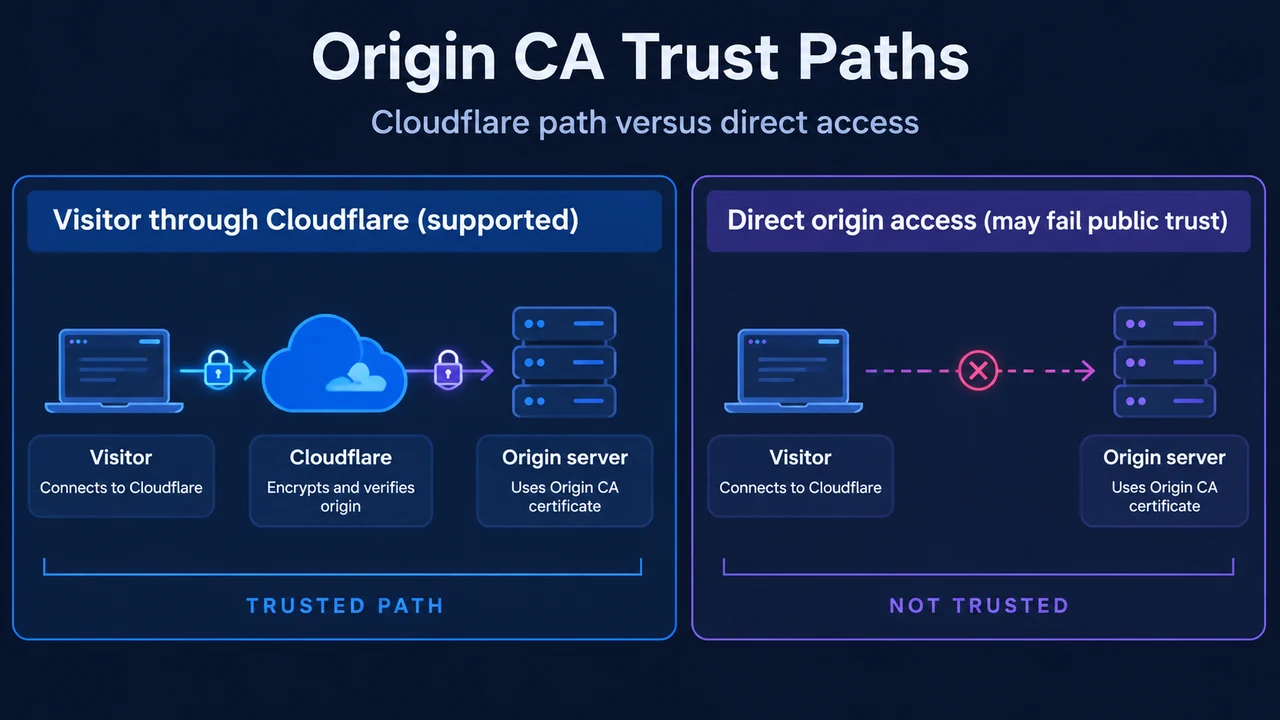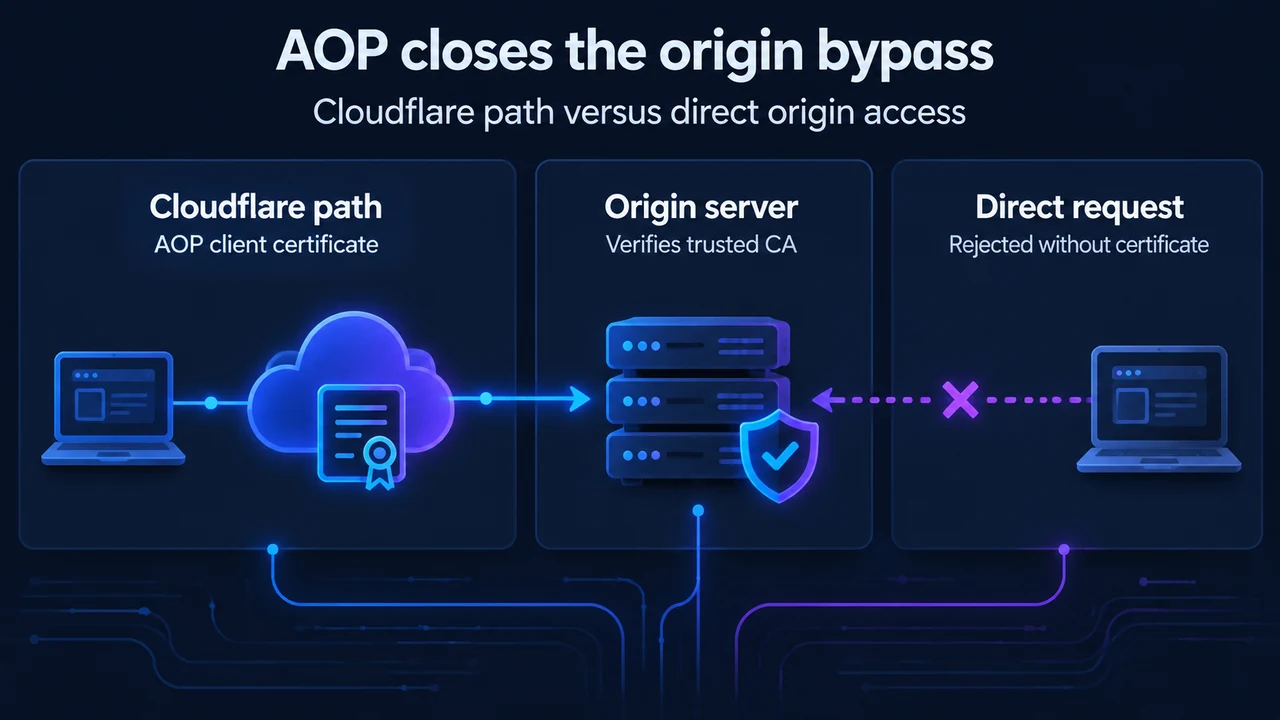
When you place a website behind Cloudflare, public DNS records point visitors to Cloudflare’s edge network rather than your origin web server. However, if an attacker discovers your origin server’s direct IP address, they can send traffic directly to your web server, bypassing Cloudflare’s Web Application Firewall (WAF), rate limiting, and other protections. Cloudflare Authenticated Origin Pulls (AOP) helps ensure requests reaching your origin server come from the Cloudflare network, which provides an additional layer of security on top of Full or Full (strict) encryption modes.
How Authenticated Origin Pulls Protects the Origin
Under standard TLS configurations, your origin server presents a certificate to prove its identity to the connecting client. Authenticated Origin Pulls extends this handshake using mutual TLS (mTLS): the origin web server also validates a client certificate presented by Cloudflare. When you combine AOP with the Cloudflare Web Application Firewall (WAF), your origin only accepts requests that have passed through Cloudflare, ensuring that every request is evaluated by the WAF before reaching your server.
Configuration Levels: Global, Zone-Level, and Per-Hostname
According to Cloudflare’s documentation, AOP operates across three independent configuration levels, available across Free, Pro, Business, and Enterprise plans. Each level uses its own certificate and enablement setting, and each requires configuration on your origin server:
- Global AOP: Uses a Cloudflare-provided certificate that is shared across all Cloudflare accounts. It applies to all proxied traffic on the zone. This is the simplest setup, but it only proves that a request came from the Cloudflare network, not from your account specifically.
- Zone-level AOP: Uses a certificate that you upload. It applies to all proxied traffic on the zone. It provides stricter security because the certificate is exclusive to your account, guaranteeing that incoming requests come from your account. Zone-level certificates take precedence over global certificates. Zone-level AOP also satisfies FIPS compliance requirements and supports ML-DSA (FIPS 204) post-quantum client certificates.
- Per-hostname AOP: Uses a custom certificate that you upload, applied to specific hostnames. Per-hostname certificates take precedence over zone-level and global certificates for the specified hostname. Per-hostname AOP also guarantees that requests come from your account, satisfies FIPS compliance requirements, and supports ML-DSA post-quantum client certificates.
Global, zone-level, and per-hostname AOP are independent configurations. Enabling or disabling one does not affect the others.
Prerequisites for Zone-Level AOP
Before configuring zone-level mTLS authentication, ensure your environment meets documented requirements:
- Your Cloudflare zone must use an SSL/TLS encryption mode of Full or higher (such as Full (strict)).
- Zone-level AOP requires you to upload your own certificate to Cloudflare and place the matching CA root certificate on your origin server.
Generating Custom Certificates with OpenSSL
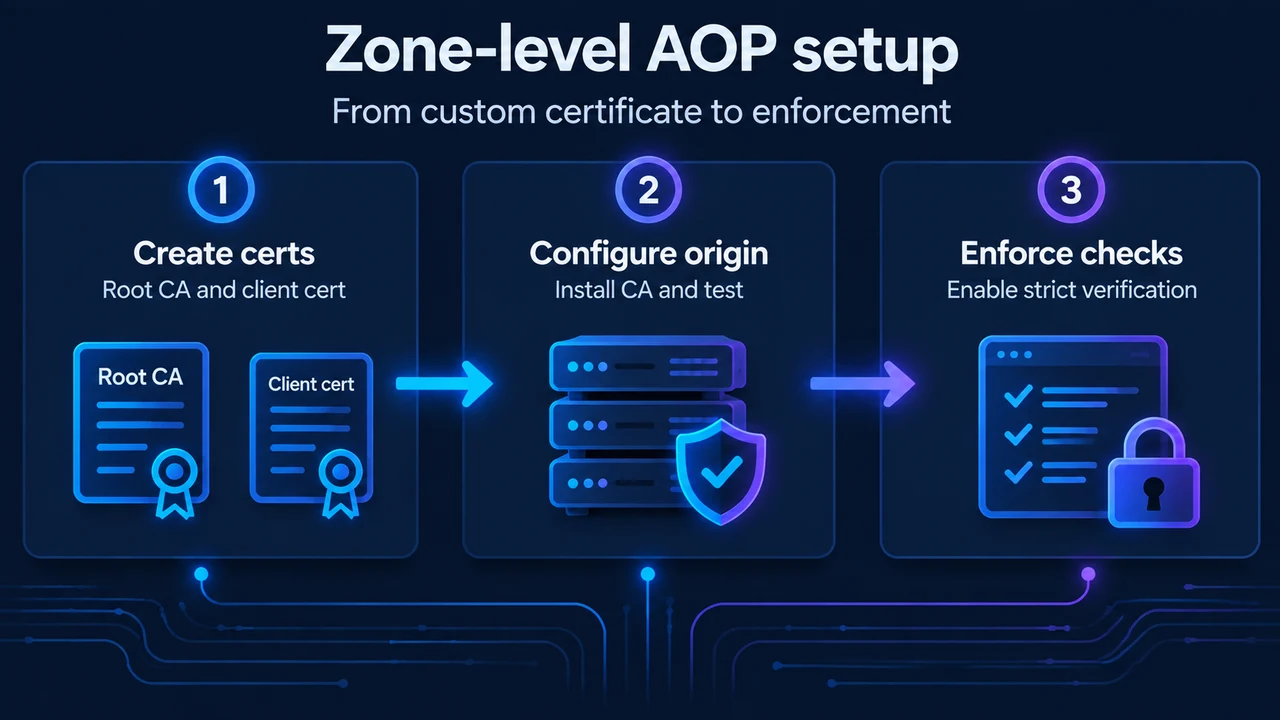
To establish zone-level mTLS, you generate a CA root certificate to install on your origin server and a client certificate to upload to Cloudflare. Documented by Cloudflare’s zone-level setup guide, the OpenSSL generation workflow proceeds as follows:
First, generate a 4096-bit RSA private key using AES-256 encryption (enter a passphrase when prompted):
openssl genrsa -aes256 -out rootca.key 4096Next, create the CA root certificate. When prompted, enter your domain name as the value for the Common Name field (not the hostname):
openssl req -x509 -new -nodes -key rootca.key -sha256 -days 1826 -out rootca.crtCreate a Certificate Signing Request (CSR) and private key for the client certificate. For this Common Name prompt, use your hostname as the value:
openssl req -new -nodes -out cert.csr -newkey rsa:4096 -keyout cert.keyCreate a certificate extensions file named cert.v3.ext specifying the following constraint:
basicConstraints=CA:FALSESign the certificate using the rootca.key and rootca.crt created in the previous steps:
openssl x509 -req -in cert.csr -CA rootca.crt -CAkey rootca.key -CAcreateserial -out cert.crt -days 730 -sha256 -extfile ./cert.v3.extUploading Certificates to Cloudflare and the Origin
- Upload your certificate to Cloudflare: In the Cloudflare dashboard, go to the Origin Server page under SSL/TLS > Origin Server. Select the Authenticated Origin Pulls tab. In the Zone-level section, select Upload certificate, paste the certificate and private key, and select Continue. Review your certificate details, save the certificate ID for future reference, and select Done. Alternatively, you can use the Upload a zone-level client certificate API endpoint.
- Upload the CA certificate to your origin: Upload the CA root certificate used to sign your client certificate (
rootca.crt) to your origin server (for example, saved to/etc/nginx/certs/cloudflare.crton Nginx or/path/to/origin-pull-ca.pemon Apache). Your origin will use this CA certificate to verify the client certificate presented by Cloudflare.
Configuring Origin Web Server Verification
Set up your origin web server to accept and verify client certificates. Cloudflare provides configuration examples for Nginx and Apache, and notes that other origin web servers such as HAProxy, Traefik, and Caddy are also supported.
Stage 1: Testing Verification with Optional Client Verification
Configure your origin web server to accept client certificates. In Nginx, set client verification to optional and point to your uploaded CA certificate:
ssl_client_certificate /etc/nginx/certs/cloudflare.crt;
ssl_verify_client optional;
For an Apache origin, the directive at this stage is:
SSLCACertificateFile /path/to/origin-pull-ca.pemAt this point, you may also want to enable logging on your origin so that you can verify the configuration is working.
Stage 2: Enabling Zone-Level AOP in Cloudflare
Return to the Cloudflare dashboard on the Origin Server page under the Authenticated Origin Pulls tab. In the Zone-level section, switch the toggle to On. Alternatively, use the Set Enablement for Zone endpoint to enable zone-level Authenticated Origin Pulls.
Stage 3: Enforcing Validation Check on Your Origin
Once you confirm everything is working as expected for your specific origin setup, configure your origin to enforce the authentication.
On Nginx, update the configuration to strictly enforce client verification:
ssl_verify_client on;On Apache, enforce authentication using:
SSLVerifyClient requireVerifying Bypass Prevention and Setting Expiration Alerts
After completing the process, use curl to send requests directly to your origin IP address to verify that direct requests fail due to certificate validation being enforced:
curl -k https://<ORIGIN_IP>Because the direct request does not supply a valid client certificate verified by your origin’s CA, the origin rejects the connection.
You can also configure an optional Zone-level Authenticated Origin Pulls Certificate Expiration Alert. Included with Authenticated Origin Pull for customers uploading their own zone-level certificates, notifications are sent 30 days and 14 days before certificate expiry. When you receive an alert, upload a renewed certificate to use for zone-level AOP.
Text version of the diagrams
- AOP closes the origin bypass: Cloudflare path — AOP client certificate; Origin server — Verifies trusted CA; Direct request — Rejected without certificate
- Zone-level AOP setup: Create certs — Root CA and client cert; Configure origin — Install CA and test; Enforce checks — Enable strict verification
Research Method and Limitations
This article was prepared directly from public documentation excerpts provided by Cloudflare covering Authenticated Origin Pulls and zone-level setup. Material limitations include the reliance solely on visible excerpts without access to live Cloudflare dashboards or external hosting platforms. The competitor URL supplied for review redirected to an unrelated blog post regarding ColdFusion variable tags and provided no coverage of Cloudflare, origin security, or web server mTLS configuration.