Origin Protection Behind Cloudflare Proxies
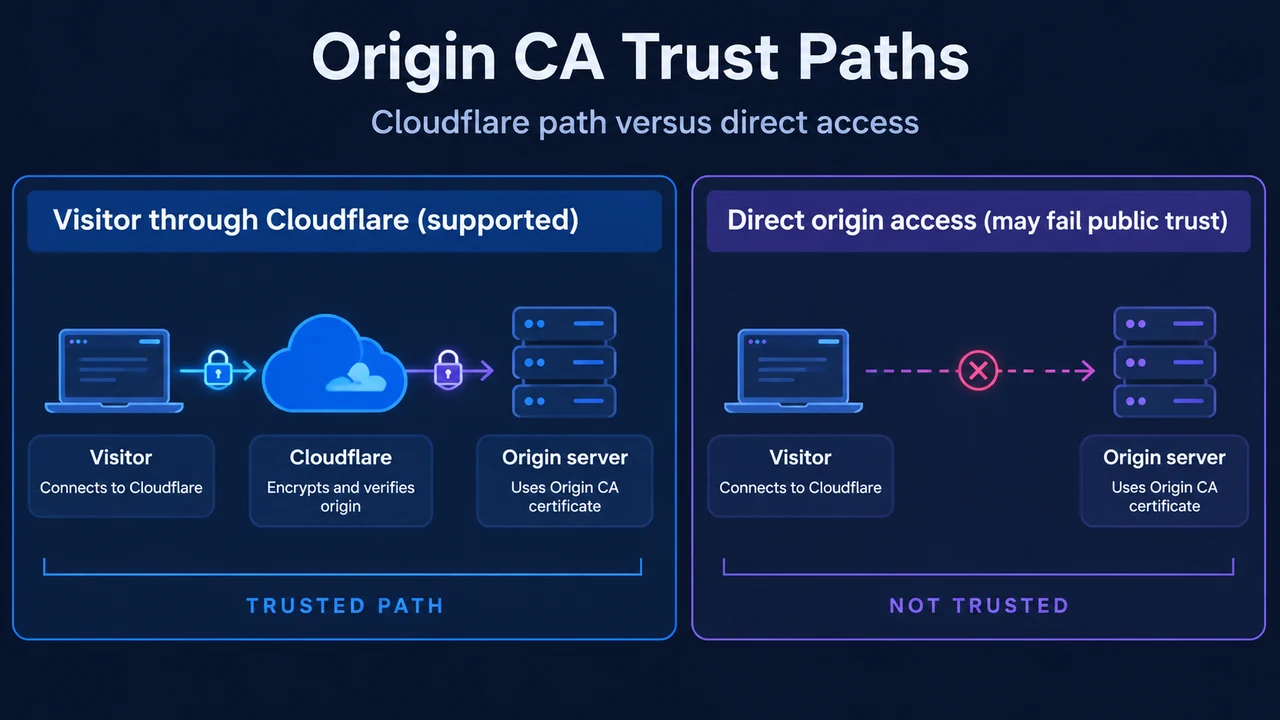
When an application is configured behind Cloudflare with proxied DNS records, public DNS queries resolve to Cloudflare Anycast IP addresses rather than the origin server’s direct IP address. Inbound visitor traffic routes to Cloudflare data centers, where security tools like the Web Application Firewall (WAF) inspect requests before forwarding them to the origin server. However, if an unauthorized party discovers the origin server’s direct IP address—for example, through historical DNS records or mail server configuration—they can bypass Cloudflare protections entirely by sending traffic directly to the origin server.
Preventing direct bypass requires enforcing access policies at the origin. Cloudflare documents two complementary mechanisms: origin network filtering (such as host-based firewall rules) and mutual TLS (mTLS) authentication through Authenticated Origin Pulls (AOP). Each mechanism provides distinct operational boundaries, and Cloudflare notes that specific origin-server certificate and trust-store deployment steps must be referenced in dedicated setup guides.
Allowlisting Cloudflare IP Ranges with iptables
Cloudflare routes proxied web traffic across shared Anycast IP ranges. Because origin connections arrive from these egress addresses, an origin server’s firewall can see a high volume of traffic coming from a limited pool of IP addresses. Without proper configuration, this traffic pattern may trigger automatic blocking or rate limiting.
To avoid unintentionally blocking legitimate proxy connections while preventing direct bypass, Cloudflare recommends allowlisting Cloudflare IP ranges and blocking unapproved sources on web traffic ports.
Documented iptables Rules and Operational Boundaries
Administrators can configure network filtering on Linux hosts using iptables (IPv4) and ip6tables (IPv6). Cloudflare documents rules permitting inbound traffic on HTTP and HTTPS ports from verified address ranges:
# For IPv4 addresses
iptables -I INPUT -p tcp -m multiport --dports http,https -s $ip -j ACCEPT

# For IPv6 addresses
ip6tables -I INPUT -p tcp -m multiport --dports http,https -s $ip -j ACCEPT
In these commands, $ip represents an individual subnet from Cloudflare’s published list of IP ranges. The -I flag inserts the rule at the top of the INPUT chain, and the command must be run once for each published IP range.
To drop unapproved connections on these specific ports, Cloudflare provides drop rules to append to the chain:
# For IPv4 addresses
iptables -A INPUT -p tcp -m multiport --dports http,https -j DROP

# For IPv6 addresses
ip6tables -A INPUT -p tcp -m multiport --dports http,https -j DROP
Operational boundaries: These documented rules specifically target HTTP and HTTPS ports (ports 80 and 443). Cloudflare documents that administrators must not block traffic from trusted partners, vendors, or internal applications that require direct connectivity. Cloudflare also notes that origin web servers using Apache can allowlist IP addresses with a .htaccess file, and external tools must be reviewed: ensure security plugins (such as those for WordPress) allow Cloudflare IP addresses, and keep the ModSecurity plugin up to date so origin tools do not block Cloudflare IP addresses unintentionally.
IP Range Updates and Dedicated Address Options
Cloudflare’s IP ranges change infrequently. When ranges do change, they are added to the official list of IP ranges before entering production. Administrators can also query the Cloudflare API to update firewall configurations programmatically. For enterprise customers seeking alternatives to shared IP addresses, Cloudflare offers Bring Your Own IP (BYOIP), where Cloudflare announces customer-owned prefixes via BGP, and Static IP addresses for dedicated domains. Business and Enterprise customers can also reduce the number of shared IP addresses associated with their domains by uploading a Custom SSL certificate.
AWS VPC Route Conflicts: 172.64.0.0/13 vs. RFC 1918
Origin servers hosted inside Amazon Web Services (AWS) Virtual Private Clouds (VPCs) may experience connection errors (HTTP 521 or 522) when communicating with Cloudflare data centers using the egress block 172.64.0.0/13 (spanning 172.64.0.0 to 172.71.255.255).
This range is public egress IP space and is not RFC 1918 private space. RFC 1918 covers 172.16.0.0/12 (spanning 172.16.0.0 to 172.31.255.255), which does not overlap with 172.64.0.0/13. However, AWS VPC route tables sometimes include a broad route—such as 172.16.0.0/12 or an over-broad supernet such as 172.16.0.0/8—directing traffic to internal destinations such as Transit Gateways, VPN Gateways, NAT Gateways, or VPC peering connections.
If an internal route improperly captures 172.64.0.0/13 traffic, return traffic destined for Cloudflare is routed internally instead of out through the Internet Gateway. Because AWS evaluates routing tables at the routing layer prior to instance-level security groups, security group audits will not reveal this issue.
Cloudflare documents two resolutions in the AWS VPC route table:
- Add a more-specific route: Add a route with destination
172.64.0.0/13targeting the VPC’s Internet Gateway. In AWS routing, more-specific routes take precedence. - Narrow the internal route: Narrow the broad route to strictly
172.16.0.0/12(the RFC 1918 range), which does not include172.64.0.0/13.
Authenticated Origin Pulls (AOP) Mutual TLS Architecture
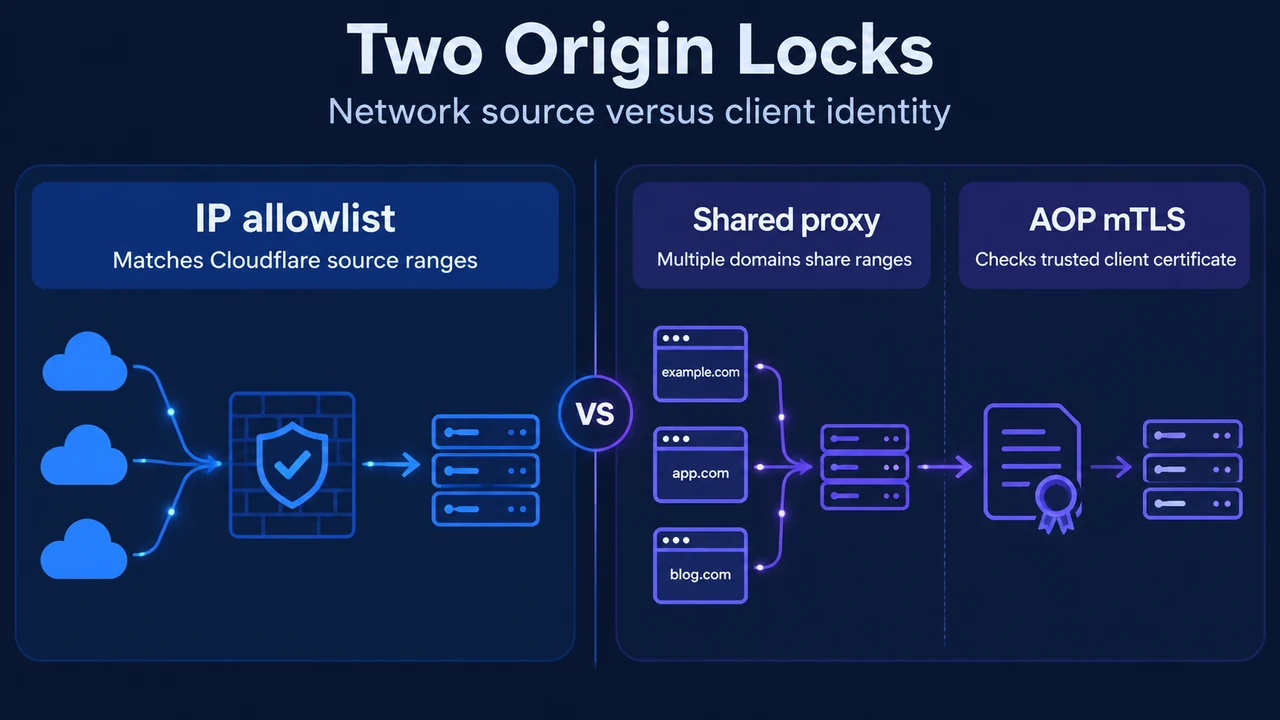
While IP allowlists drop connections from arbitrary public IP addresses, they do not verify tenant identity. Because standard Cloudflare IP addresses are shared across all proxied hostnames, an IP allowlist alone allows any connection arriving through the shared Cloudflare network.
Authenticated Origin Pulls (AOP) provides an additional layer of security on top of Full or Full (strict) encryption modes by using mutual TLS (mTLS) authentication between Cloudflare and the origin server. When combined with the Cloudflare Web Application Firewall (WAF), AOP ensures that the origin only accepts requests that have passed through Cloudflare, meaning every accepted request is evaluated by the WAF before reaching the server.
AOP Configuration Levels and Scope
AOP is available across Free, Pro, Business, and Enterprise plans. It features three independent configuration levels, each using its own certificate and enablement setting:
| Configuration Level | Certificate Source | Scope and Precedence | Security Guarantee |
|---|---|---|---|
| Global | Cloudflare-provided certificate shared across all Cloudflare accounts | Applies to all proxied traffic on the zone. Lowest precedence. | Guarantees that a request originates from the Cloudflare network; does not guarantee that the request comes from your account specifically. |
| Zone-level | Customer-uploaded certificate | Applies to all proxied traffic on the zone. Takes precedence over global certificates. | Restricts origin validation exclusively to your specific Cloudflare account. Required for FIPS compliance. |
| Per-hostname | Customer-uploaded certificate | Applies to specified individual hostnames. Takes precedence over zone-level and global certificates for the specified hostname. | Restricts origin validation exclusively to your specific Cloudflare account for specified hostnames. |
For post-quantum protection, Cloudflare documents that zone-level and per-hostname AOP support ML-DSA (FIPS 204) post-quantum client certificates.
Architectural Comparison: IP Filtering vs. Authenticated Origin Pulls
Firewall allowlisting and Authenticated Origin Pulls operate at distinct security boundaries to defend against origin bypass:
| Mechanism | iptables / Firewall IP Allowlists | Authenticated Origin Pulls (mTLS) |
|---|---|---|
| Enforcement Point | Host packet filtering on web ports (HTTP and HTTPS) | Mutual TLS client certificate authentication |
| Direct Bypass Defense | Drops incoming packets from addresses outside allowed Cloudflare IP ranges and trusted partners. | Rejects requests that lack a valid, trusted Cloudflare client certificate. |
| Shared Proxy Protection | Allows traffic from any domain that proxies through Cloudflare’s shared IP address ranges. | Zone-level and per-hostname certificates guarantee that requests come exclusively from your account. |
| Maintenance Scope | Requires updating firewall IP lists when Cloudflare publishes new IP address ranges. | Requires configuring and managing certificates and enablement settings on both Cloudflare and the origin server. |
Research Methodology and Limitations
This technical explainer was prepared strictly from public primary documentation published by Cloudflare covering Cloudflare IP addresses and Authenticated Origin Pulls (mTLS). Competing material retrieved from DigitalOcean consisted only of generic community and platform navigation boilerplate and did not include substantive origin lockdown or mTLS verification instructions. A material technical limitation of this overview is that detailed web-server-specific configuration steps (such as origin web server trust-store setup, Nginx directives, or Apache directives) and specific API payload schemas are referenced in Cloudflare’s separate setup guides and were not part of the provided public excerpts. This analysis does not rely on unverified lab tests, speculative commands, or unseen documentation.
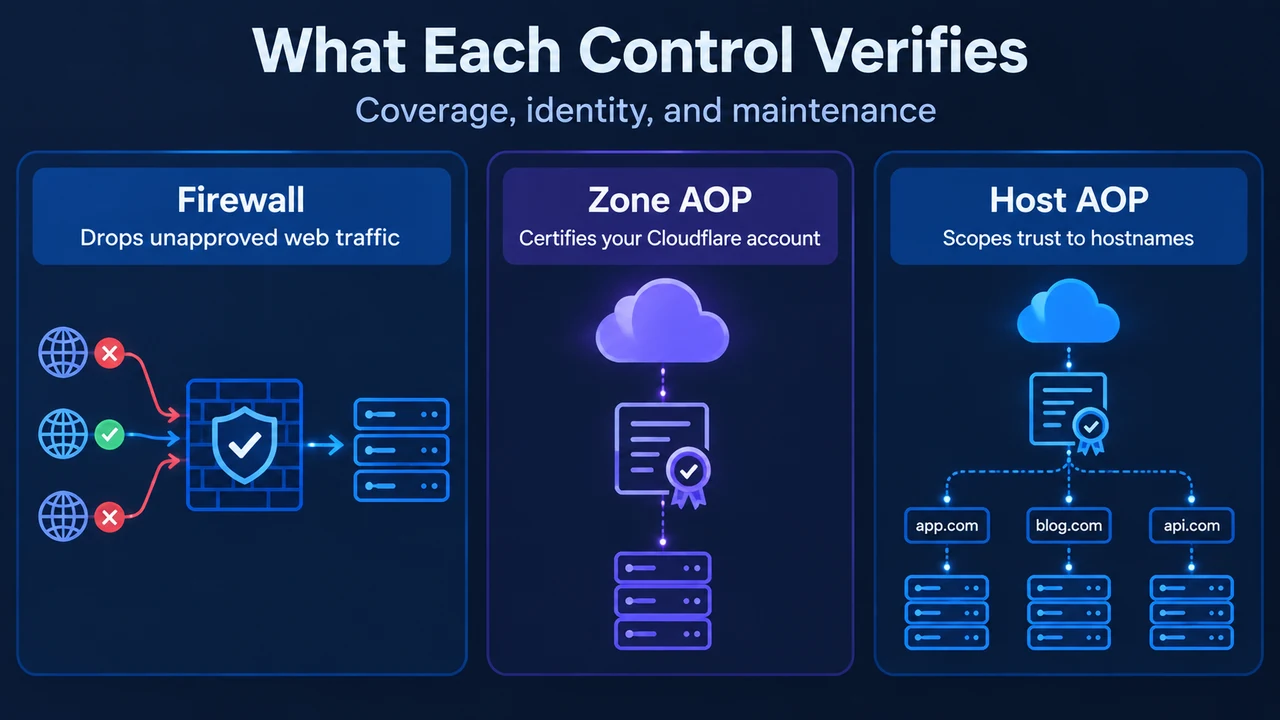
Text version of the diagrams
- Two Origin Locks: IP allowlist — Matches Cloudflare source ranges; Shared proxy — Multiple domains share ranges; AOP mTLS — Checks trusted client certificate
- What Each Control Verifies: Firewall — Drops unapproved web traffic; Zone AOP — Certifies your Cloudflare account; Host AOP — Scopes trust to hostnames