In Nginx, the ngx_http_gzip_module compresses responses using the gzip method. When requests arrive with a Via request header field, Nginx identifies them as proxied requests. This guide explains how Nginx evaluates the Via header, how the gzip_proxied directive inspects request and response headers, and which security limits apply under SSL/TLS.
How Nginx Identifies a Proxied Request
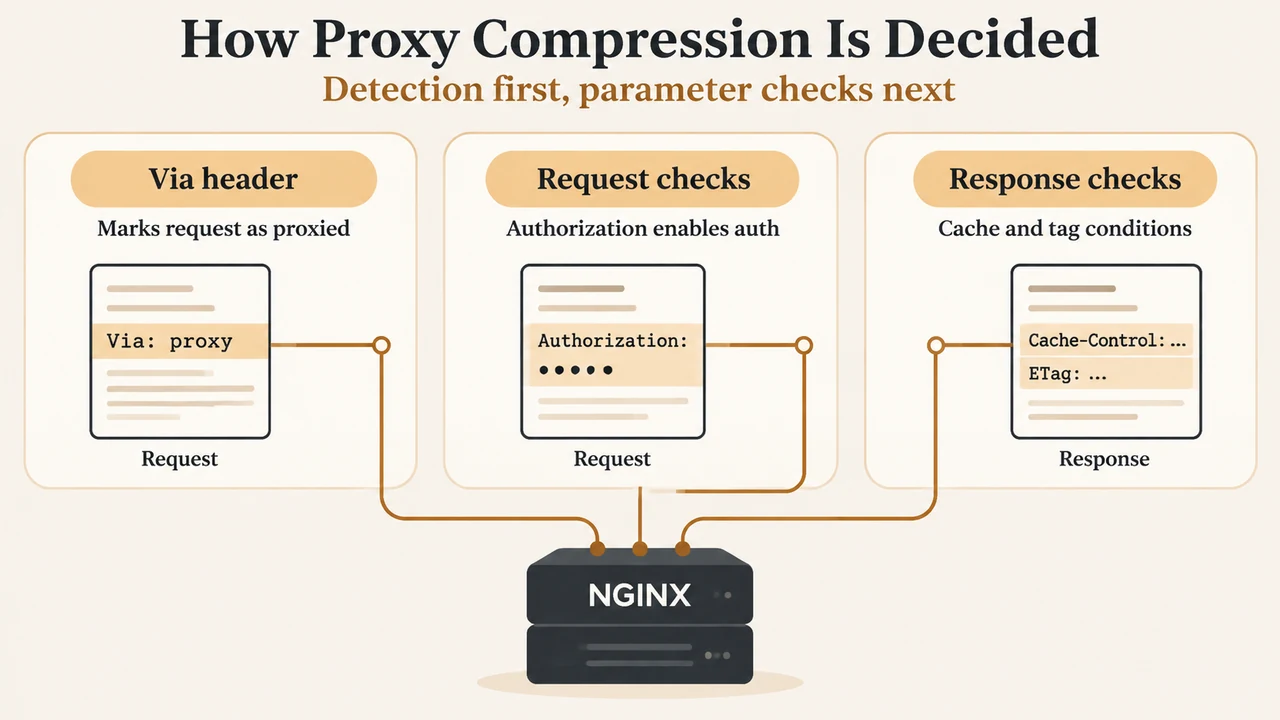
According to the official Nginx ngx_http_gzip_module documentation, whether a request is proxied is determined solely by the presence of the Via request header field.
When the Via header is present, Nginx consults the gzip_proxied directive to decide whether to compress the response. If gzip_proxied remains set to its default value of off, Nginx disables compression for all proxied requests.
Syntax, Defaults, and Contexts
The gzip_proxied directive is configured within the http, server, or location contexts:
Syntax:  gzip_proxied off | expired | no-cache | no-store | private | no_last_modified | no_etag | auth | any ...;
Default: gzip_proxied off;
Context: http, server, location
Because the default is off, enabling gzip on; alone does not compress responses for requests containing a Via header field. To compress those responses, gzip_proxied must be configured with one or more parameters.
Parameter Mapping: Request and Response Headers
The gzip_proxied directive accepts multiple parameters. Nginx checks these parameters against either the client request header or the response header:
- off: Disables compression for all proxied requests, ignoring other parameters.
- any: Enables compression for all proxied requests.
- auth: Evaluates the request header. It enables compression if the request header includes an
Authorizationfield. - expired: Evaluates the response header. It enables compression if a response header includes an
Expiresfield with a value that disables caching. - no-cache: Evaluates the response header. It enables compression if a response header includes a
Cache-Controlfield with theno-cacheparameter. - no-store: Evaluates the response header. It enables compression if a response header includes a
Cache-Controlfield with theno-storeparameter. - private: Evaluates the response header. It enables compression if a response header includes a
Cache-Controlfield with theprivateparameter. - no_last_modified: Evaluates the response header. It enables compression if a response header does not include a
Last-Modifiedfield. - no_etag: Evaluates the response header. It enables compression if a response header does not include an
ETagfield.
Configuring gzip_proxied: Documented Example
The official Nginx documentation provides this example configuration for compressing responses:
gzip on;
gzip_min_length 1000;
gzip_proxied expired no-cache no-store private auth;
gzip_types text/plain application/xml;
In this documented configuration:
gzip on;enables gzipping of responses.gzip_min_length 1000;sets the minimum response length to gzip, determined only from theContent-Lengthresponse header field (the default value is20).gzip_proxied expired no-cache no-store private auth;enables compression for proxied requests if the request includes anAuthorizationheader field or if the response header includesexpired,no-cache,no-store, orprivatecache directives.gzip_types text/plain application/xml;enables gzipping for the specified MIME types in addition totext/html(responses with thetext/htmltype are always compressed).
Companion Directives and Security Limits
The ngx_http_gzip_module defines several companion directives and an operational security warning:
- gzip_vary on | off;: Defaults to
off. Setting this tooninserts theVary: Accept-Encodingresponse header field whengzip,gzip_static, orgunzipdirectives are active. - gzip_http_version 1.0 | 1.1;: Defaults to
1.1. Sets the minimum HTTP version of a request required to compress a response. - gzip_comp_level level;: Defaults to
1(acceptable values range from1to9). - gzip_buffers number size;: Defaults to
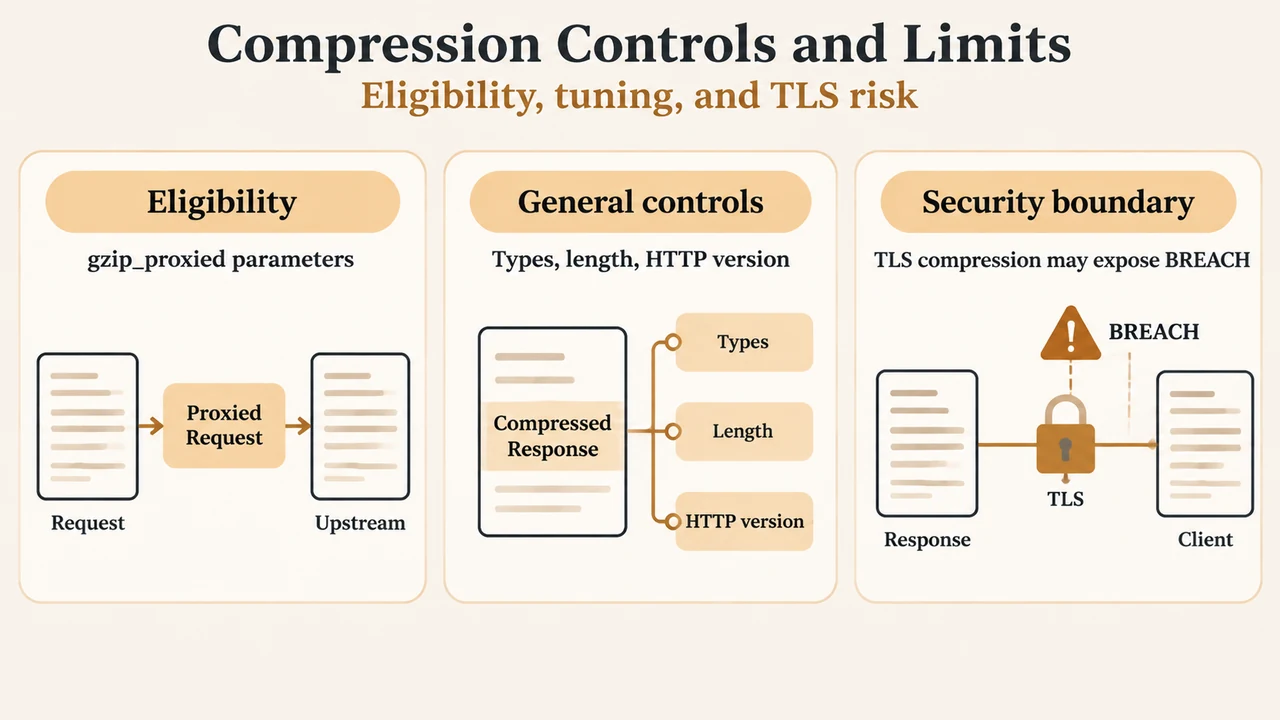
32 4kor16 8k, which equals one platform memory page (4K or 8K). - SSL/TLS security warning: The documentation cautions that when using the SSL/TLS protocol, compressed responses may be subject to BREACH attacks. Compression should not be assumed to be unconditionally safe across encrypted connections.
Text version of the diagrams
- How Proxy Compression Is Decided: Via header — Marks request as proxied; Request checks — Authorization enables auth; Response checks — Cache and tag conditions
- Compression Controls and Limits: Eligibility — gzip_proxied parameters; General controls — Types, length, HTTP version; Security boundary — TLS compression may expose BREACH
Research Methodology and Limitations
This technical explainer was prepared exclusively from the supplied vendor documentation for the Nginx ngx_http_gzip_module and the supplied competitor tutorial excerpt. The competitor excerpt provided only marketing and navigation copy without technical directives or parameters. Analysis is limited strictly to documented syntax, the Via header evaluation rule, and parameter definitions explicitly present in the provided evidence. No unverified network environments, forward proxies, or content delivery networks beyond the documented Via header check were evaluated.