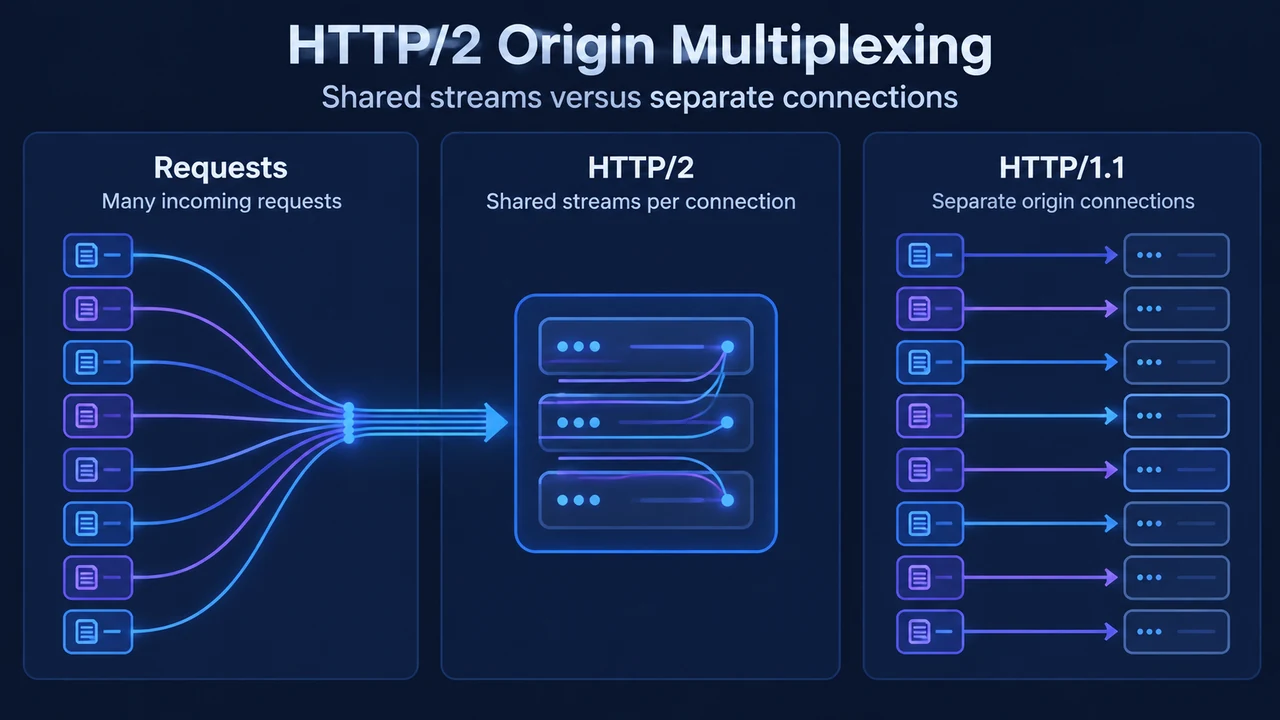
Cloudflare’s HTTP/2 to Origin feature allows Cloudflare edge servers to establish persistent, multiplexed connections to upstream backend servers. Instead of opening a new TCP connection for every incoming request, multiple HTTP/2 streams share a single long-lived TCP connection, reducing connection setup churn, cutting round-trip connection latency, and lowering active origin connection counts.
Scope and Plan Availability
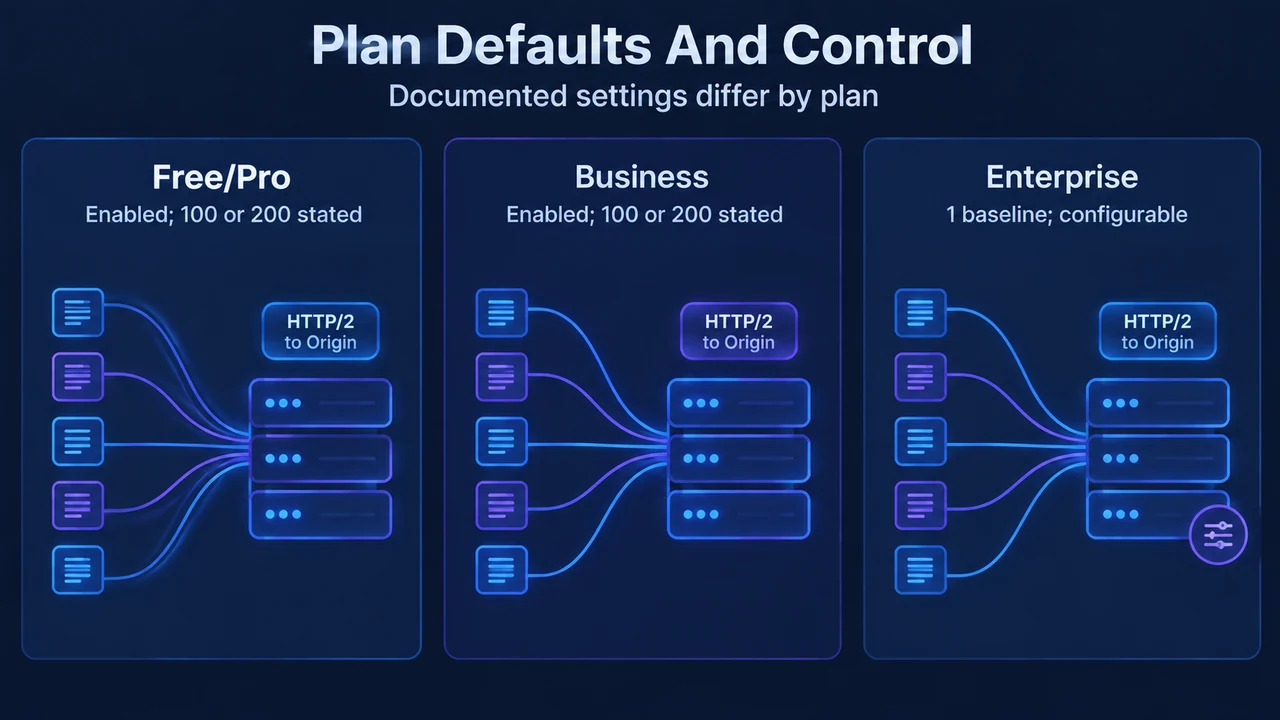
HTTP/2 to Origin is available on Free, Pro, Business, and Enterprise plans. Documented default concurrency values and customization options vary across tiers:
- Free, Pro, and Business plans: HTTP/2 connection multiplexing is enabled by default and cannot be configured in the dashboard. The primary documentation contains an internal discrepancy regarding default concurrency: the summary table and FAQ state each connection supports up to 200 concurrent streams, whereas the configuration section states these plans use up to 100 concurrent streams by default.
- Enterprise plans: Multiplexing starts effectively disabled by default at a baseline of 1 stream per connection. Enterprise administrators can configure the maximum number of concurrent streams per zone (from 1 to 200+ streams) through the Cloudflare dashboard or via the API.
Origin Prerequisites and ALPN Negotiation
For Cloudflare to establish an HTTP/2 connection to an origin server, the backend must meet specific protocol requirements:
- ALPN Advertisement: Cloudflare initiates HTTP/2 connections only to origin servers that announce support for HTTP/2 via Application-Layer Protocol Negotiation (ALPN).
- HTTP/1.1 Fallback: If an origin does not support HTTP/2 or announce it via ALPN, Cloudflare initiates a standard HTTP/1.1 connection.
- Compatibility Testing: Origin protocol compatibility can be verified using backend server documentation or HTTP/2 testing tools such as h2spec.
How Connection Multiplexing Works
HTTP/2 multiplexing alters how traffic moves between Cloudflare edge nodes and the origin:
- Stream Sharing: Rather than opening a new TCP connection for every incoming request, multiple HTTP/2 streams share a single long-lived TCP connection.
- Connection Selection: When a request arrives, Cloudflare attempts to reuse an existing HTTP/2 connection to the origin. If the connection has not reached its concurrent stream limit, Cloudflare multiplexes the request over that connection.
- Adaptive Scaling: If active connections reach their concurrency limit, Cloudflare opens a new TCP connection as needed.
- No Connection Prewarming: Cloudflare operates a flat Anycast network without an L1/L2 hierarchy or a persistent prewarmed idle pool. Connections are created strictly on demand and may originate from multiple data centers worldwide.
- Respect for Origin Stream Limits: Cloudflare honors the origin server’s
SETTINGS_MAX_CONCURRENT_STREAMS, allowing backend servers to enforce stricter stream limits than zone-level settings.
Connection Lifecycle and Timeouts
Cloudflare manages origin TCP connections under defined lifecycle parameters and health checks:
- Connection Reuse: Keep-alive TCP connections remain open and continue being reused until they reach their stream concurrency limit or become idle.
- Proxy Idle Timeout (900 seconds): If a connection remains idle with no active streams for 900 seconds, Cloudflare closes it. Attempting to reuse a closed connection may result in a 520 error.
- TCP Keep-Alives: Cloudflare sends periodic TCP keep-alive probes to detect unresponsive origins. The first probe is sent after approximately 30 seconds of inactivity, followed by a second probe 15 seconds later. After two consecutive unanswered probes, Cloudflare resets the connection with a 520 error.
- TCP Handshake and ACK Timeouts: A TCP handshake timeout occurs after 19 seconds if the origin fails to complete the SYN handshake (triggering a 522 error). A TCP ACK timeout occurs after 90 seconds if the origin stops acknowledging data (triggering a 522 error).
- Proxy Read Timeout (125 seconds): Requests taking longer than 125 seconds trigger a 524 error indicating the origin took too long to respond. Enterprise accounts can increase this timeout up to 6000 seconds.
- Connection Tear-down: Connections may also close due to edge maintenance, load balancing decisions, origin-initiated closures, or reaching maximum concurrency limits. Active connections have no hard maximum lifetime.
Managing and Configuring HTTP/2 to Origin
Administrators can disable the feature or configure concurrency where supported:
- Disabling the Feature: In the Cloudflare dashboard, go to Speed > Settings, open the Protocol Optimization tab, and toggle HTTP/2 to Origin to Off.
- Enterprise Dashboard Configuration: Under Speed > Optimization on the Protocol Optimization tab, select Configure next to HTTP/2 to Origin to adjust stream settings.
- API Configuration: Enterprise accounts with
Zone Settings WriteorZone Writetoken permissions can update stream limits via a PATCH request to the/zones/{zone_id}/settings/origin_h2_max_streamsendpoint.
Research Method and Limitations
This article was prepared directly from public vendor documentation in Cloudflare’s official HTTP/2 to Origin documentation retrieved on September 17, 2026. The primary source contains an unresolved internal discrepancy regarding Free, Pro, and Business tiers, alternately stating in body text that they use up to 100 concurrent streams by default while listing 200 concurrent streams in summary tables and FAQs; whether 200 represents a ceiling, a default, or an updated parameter is not clarified in the text. No competing third-party coverage or benchmark data was supplied, so comparative completeness cannot be assessed.
Text version of the diagrams
- HTTP/2 Origin Multiplexing: Requests — Many incoming requests; HTTP/2 — Shared streams per connection; HTTP/1.1 — Separate origin connections
- Plan Defaults And Control: Free/Pro — Enabled; 100 or 200 stated; Business — Enabled; 100 or 200 stated; Enterprise — 1 baseline; configurable