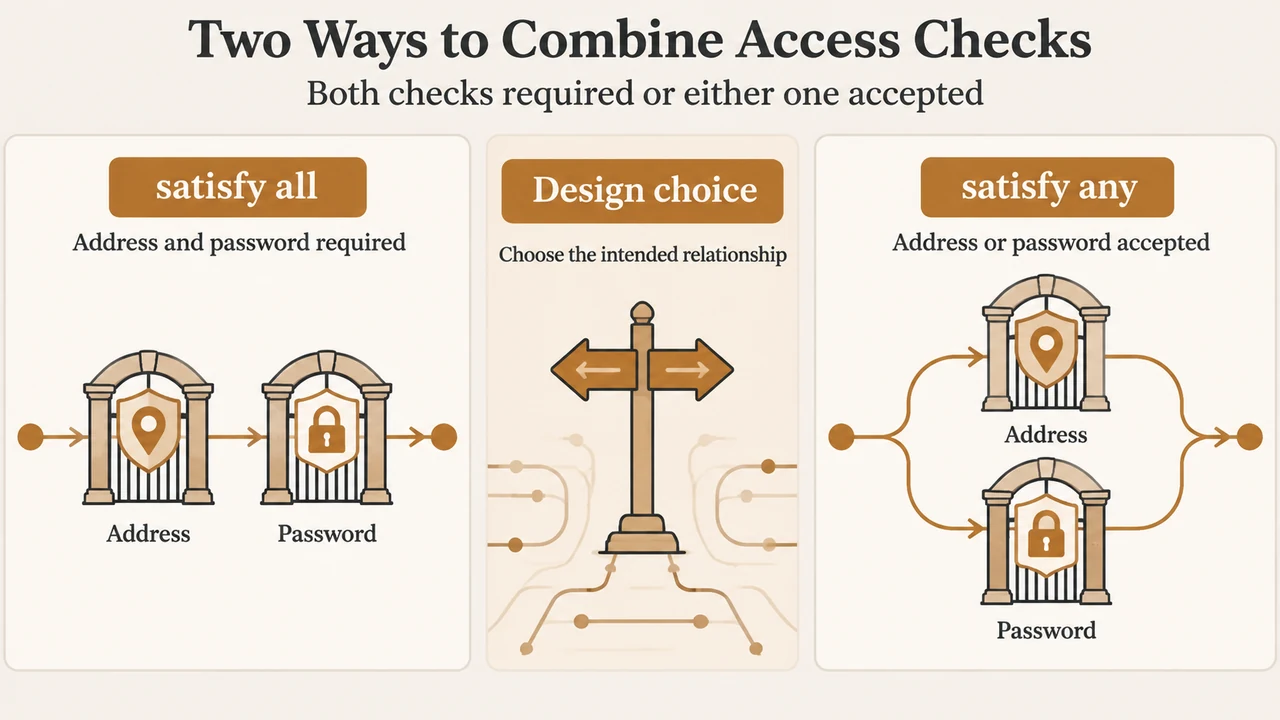
Nginx can restrict a location with both HTTP Basic Authentication and client-address rules. The satisfy directive determines whether a request must pass both checks or only one.
Use satisfy all when access should require a permitted address and valid credentials. Use satisfy any when a permitted address may bypass the password, while other clients can still enter with valid credentials. These meanings are documented for NGINX Open Source and NGINX Plus, but the supplied documentation does not identify a specific Nginx release.
What each setting means
| Setting | Access condition | Suitable documented scenario |
|---|---|---|
satisfy all |
The client must satisfy both the address restriction and Basic Authentication. | A protected area that should be available only from permitted addresses and to users with valid credentials. |
satisfy any |
The client must satisfy at least one of the two restrictions. | A permitted network can enter without a password, while other clients can use Basic Authentication. |
These are access-control choices, not universal security guarantees. The correct setting depends on whether an allowed address is intended to be an alternative to a password or an additional condition.
How the address rules are evaluated
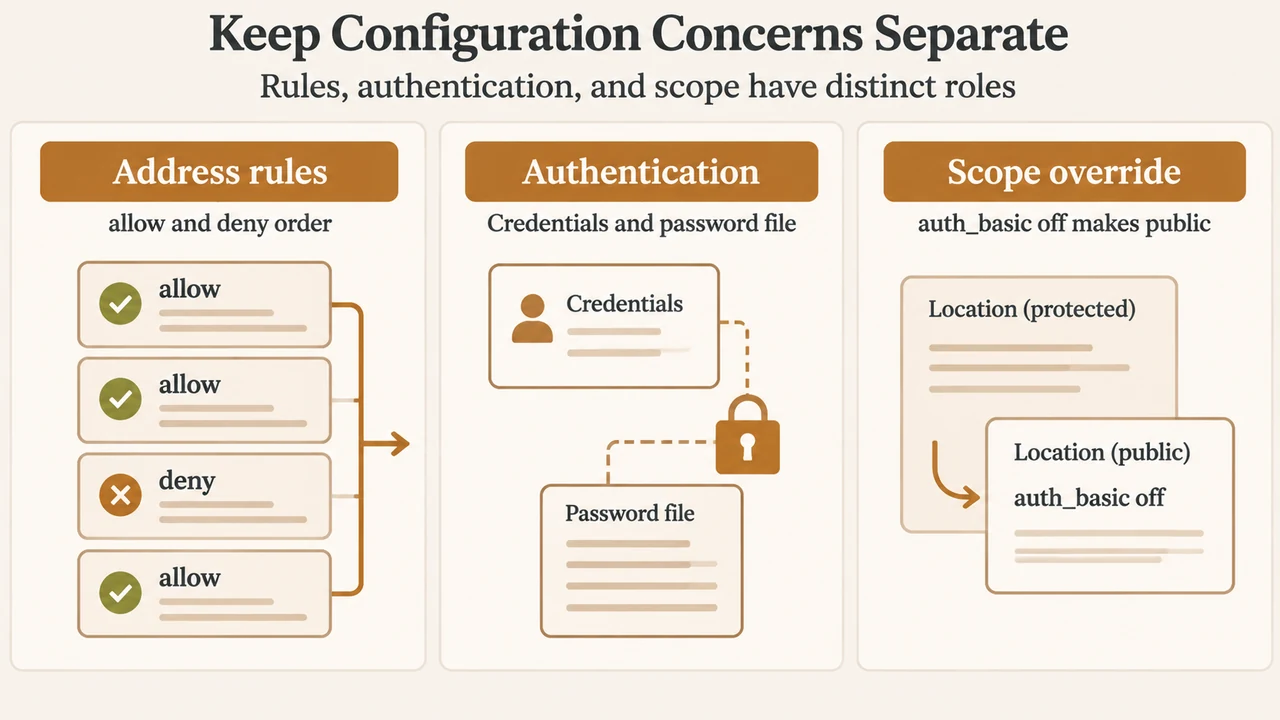
Nginx uses allow and deny directives to restrict access by address. The NGINX administrator guide says these directives are applied in the order in which they are defined. Its example allows the 192.168.1.1/24 network, allows 127.0.0.1, and then denies all other addresses, while separately excluding 192.168.1.2.
location /api {
    deny 192.168.1.2;
    allow 192.168.1.1/24;
    allow 127.0.0.1;
    deny all;

    auth_basic "Administrator’s Area";
    auth_basic_user_file conf/htpasswd;

    satisfy all;
}
The address list and the authentication directives are separate checks. satisfy all joins them so that both must succeed. Changing it to satisfy any changes the relationship between those checks; it does not change the listed addresses or the order of the allow and deny directives.
Choosing satisfy any
Choose satisfy any when a request from an allowed address should be accepted without Basic Authentication, while a request that does not pass the address check may still be accepted with valid credentials.
location /files {
    satisfy any;
    allow 10.2.0.0/16;
    allow 10.3.155.26;
    deny all;
    auth_basic "Restricted";
    auth_basic_user_file /etc/nginx/htpasswd;
}
In the supplied NGINX documentation, this pattern represents an internal network that can access the location without a password and other users who must use Basic Authentication. The example is limited to the addresses shown; it should not be treated as a recommendation for every network design.
Choosing satisfy all
Choose satisfy all when both controls are intended to apply. A client must come from an address accepted by the address rules and provide credentials accepted by the configured password file.
location /api {
    satisfy all;
    deny 192.168.1.2;
    allow 192.168.1.1/24;
    allow 127.0.0.1;
    deny all;
    auth_basic "Administrator’s Area";
    auth_basic_user_file /etc/apache2/.htpasswd;
}
The NGINX administrator guide uses this combined pattern for a protected status area. It also states that a failed name or password produces a 401 Authorization Required response. The excerpt does not describe every possible response when an address rule rejects a request.
Configuration scope matters
The official module documentation lists auth_basic in the http, server, location, and limit_except contexts. The administrator guide shows Basic Authentication configured inside a protected location, such as /api.
The same guide also documents inheritance behavior for auth_basic: setting auth_basic off in a lower-level location cancels the effect inherited from an upper configuration level. Its example enables authentication at the server level and makes /public/ public with auth_basic off.
server {
    auth_basic "Administrator’s Area";
    auth_basic_user_file conf/htpasswd;

    location /public/ {
        auth_basic off;
    }
}
This scope example concerns auth_basic inheritance. The supplied excerpts do not establish a universal inheritance rule for every access directive or every Nginx configuration arrangement, so those details should be checked against the relevant version’s documentation.
A short decision check
- Need both a permitted address and a password? Use
satisfy all. - Want a permitted address to be an alternative to a password? Use
satisfy any. - Need a public subpath under a protected server? The documented Basic Authentication example uses
auth_basic offin that lower-level location. - Before applying the rule, confirm the exact location being protected and review the order of its
allowanddenydirectives.
Do not assume that changing all to any makes a location “more secure” or “less secure” in every design. It changes whether the two documented checks are combined as requirements or alternatives. The address entries, password file, protected location, and operational assumptions still determine the result.
Research method and limitations
This article was prepared from the supplied public excerpts of the official Nginx module documentation and the NGINX administrator guide, retrieved on 2026-09-20. The excerpts support the meanings of auth_basic, auth_basic_user_file, allow, deny, and satisfy, plus the shown configuration scopes and examples. No specific Nginx version was supplied, and this is not a hands-on test, lab result, benchmark, or comprehensive review. The supplied competitor passage was truncated and was used only to compare coverage, not as technical authority.
Text version of the diagrams
- Two Ways to Combine Access Checks: satisfy all — Address and password required; satisfy any — Address or password accepted; Design choice — Choose the intended relationship
- Keep Configuration Concerns Separate: Address rules — allow and deny order; Authentication — Credentials and password file; Scope override — auth_basic off makes public