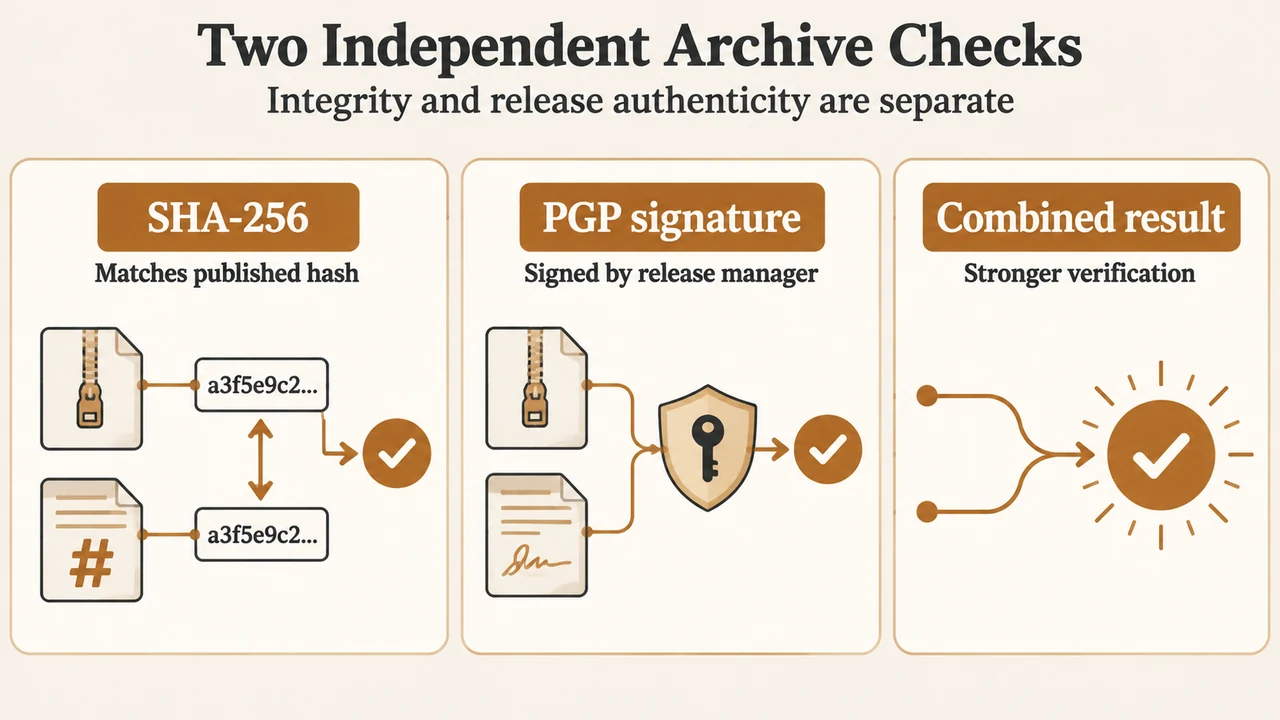
Before deploying Apache HTTP Server 2.4.68 from source, verify both the archive’s SHA-256 checksum and its detached PGP signature. Apache documents these as independent checks: SHA-256 checks whether the downloaded file matches the published file, while PGP checks whether the file was signed by a trusted Apache release manager. For the strongest assurance, the project recommends doing both.
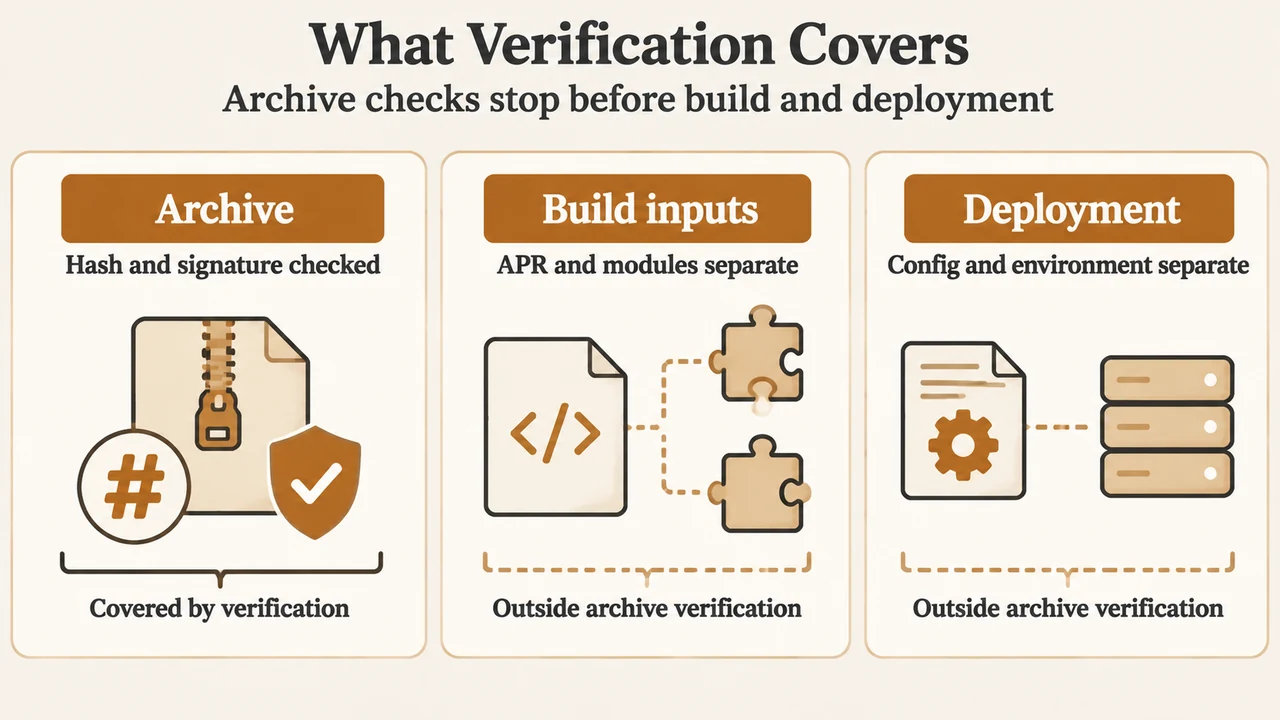
This guide covers the httpd-2.4.68.tar.gz source archive and the matching files listed in the Apache HTTP Server download directory. It does not verify a compiled binary, a package supplied by an operating-system distributor, or the safety of any modules and build options you may later use.
What the two checks prove
| Check | What it establishes | What it does not establish |
|---|---|---|
| SHA-256 | The hash in the published .sha256 file matches the hash calculated from your downloaded archive. |
Who released the archive. |
| Detached PGP signature | The archive has a valid signature associated with an Apache release manager’s public key. | That your local GPG trust relationship has been independently established. |
Apache describes these as separate processes. A checksum result such as OK confirms a content match. A valid signature confirms the signature on the file; GPG may still warn that the key is not certified in your local configuration.
Use the matching 2.4.68 files
The Apache download directory lists these files for the gzip archive:
httpd-2.4.68.tar.gzhttpd-2.4.68.tar.gz.aschttpd-2.4.68.tar.gz.sha256
The same directory also lists bzip2 archives and SHA-512 files. Do not mix the checksum or signature for one archive with a different archive format.
Apache’s 2.4.68 announcement identifies version 2.4.68 as released on June 8, 2026. The announcement says the release requires APR and APR-Util at minimum version 1.5.x, while some features may require version 1.6.x. Those build requirements are separate from archive verification.
Verify the SHA-256 checksum
After downloading the archive and its matching checksum file, run the documented check on a Unix-like system:
shasum -a 256 -c httpd-2.4.68.tar.gz.sha256Apache’s example produces:
httpd-2.4.68.tar.gz: OKAn OK result means the hash recorded in the checksum file matches the hash calculated from the archive you have. It does not identify the publisher of the checksum file or prove who released the archive.
Apache also documents a manual comparison using OpenSSL:
openssl sha256 -r httpd-2.4.68.tar.gzCompare that output with the content of httpd-2.4.68.tar.gz.sha256. Apache lists SHA-512 files as another available option, but this article’s procedure is limited to the requested SHA-256 check.
Verify the detached PGP signature
Apache’s documented signature check uses the archive and its detached .asc file:
gpg --verify httpd-2.4.68.tar.gz.asc httpd-2.4.68.tar.gzIf GPG reports that it cannot check the signature because the public key is missing, Apache directs readers to the project’s KEYS file. The documented import sequence is:
wget https://downloads.apache.org/httpd/KEYS
gpg --import KEYS
Run the verification command again after importing the keys:
gpg --verify httpd-2.4.68.tar.gz.asc httpd-2.4.68.tar.gzIn Apache’s 2.4.68 example, GPG reports a good signature from Eric Covener and shows the RSA key fingerprint 65B2 D44F E74B D5E3 DE3A C3F0 8278 1DE4 6D59 54FA. The same example includes a warning that the key is not certified with a trusted signature. Apache explains that this warning means a trust relationship has not been established in the local GPG configuration; it does not change the meaning of a valid signature result by itself.
The Apache page recommends obtaining the project’s key file from downloads.apache.org over HTTPS. That is the project’s documented key-acquisition path. This article does not claim that importing a key automatically establishes an independent trust relationship.
Interpret the result before deployment
Use the checks together. A matching SHA-256 result addresses whether the archive content matches the published checksum. A valid PGP result addresses whether the archive was signed by the release manager associated with the public key. If either check fails, stop and resolve the mismatch before using the archive.
These checks do not verify your later compilation, the APR libraries selected for the build, third-party modules, operating-system packages, configuration files, or deployment environment. The Apache announcement also notes that modules written for the 2.2 branch need to be recompiled for Apache 2.4 and may require minimal or no source changes; that compatibility statement is separate from verifying the source archive.
Research method and limitations
This article was prepared from the supplied public excerpts retrieved on September 22–23, 2026, including Apache’s verification documentation, the Apache download directory, and the Apache 2.4.68 announcement. The supplied competing guide was used only to compare coverage, not as technical authority. Its excerpt is partial, so it does not support claims about its complete contents. This is research-based guidance with no hands-on, lab, benchmark, or comprehensive review claim. The instructions and file listing are limited to the visible Apache excerpts and the stated 2.4.68 scope.
Text version of the diagrams
- Two Independent Archive Checks: SHA-256 — Matches published hash; PGP signature — Signed by release manager; Combined result — Stronger verification
- What Verification Covers: Archive — Hash and signature checked; Build inputs — APR and modules separate; Deployment — Config and environment separate