Short answer: Ubuntu’s documentation recommends U2F/FIDO hardware authentication for the strongest two-factor protection. If hardware authentication is unavailable or impractical, public-key authentication combined with TOTP/HOTP is an alternative. Key-only SSH is simpler, but it does not add a second authentication factor. These choices apply to the documented Ubuntu OpenSSH configurations and should be validated before a remote restart.
This article is for Ubuntu Server administrators deciding which SSH authentication model fits their access needs before disabling password authentication. It is research-based and does not claim hands-on testing, laboratory results, benchmark results, or a comprehensive review of every Ubuntu or OpenSSH release.
What the three choices mean
| Choice | What Ubuntu documents | Main limitation |
|---|---|---|
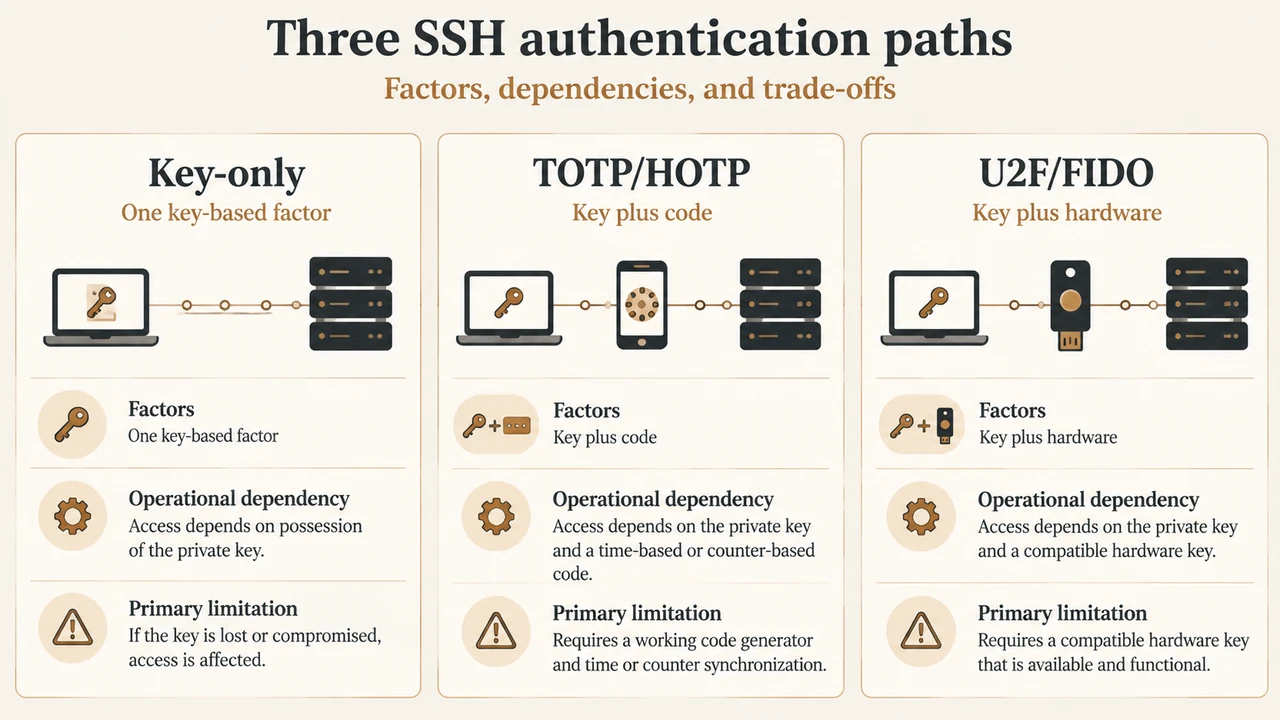
| Key-only | SSH uses a private key and matching public key. Ubuntu recommends Ed25519; RSA is also documented. | Anyone who can use the configured private key may authenticate unless another control is required. |
| Public key plus TOTP/HOTP | Public-key authentication is the first factor and a one-time code is the second. The documented configuration disables password authentication. | Ubuntu says the package receives best-effort community support. TOTP also depends on correct clocks; HOTP can fall out of sync. |
| Public key plus U2F/FIDO | OpenSSH 8.2 added support for hardware authentication devices. The hardware token must be present to finish authentication. | Users need the hardware device. Ubuntu recommends this approach for the best 2FA security, but the supplied documentation does not establish a universal recovery policy. |
When key-only SSH is the better fit
Choose key-only authentication when administrators need a relatively simple SSH login based on approved public keys and can protect the corresponding private keys. Ubuntu documents Ed25519 as its recommended key type because of its shorter key size and lower computational requirements. The public key is placed in the account’s ~/.ssh/authorized_keys file, while the private key remains with the connecting user.
This option is the smallest configuration change of the three choices described here. It is not two-factor authentication, however. Ubuntu describes public-key authentication and two-factor authentication as separate options, with U2F/FIDO or TOTP/HOTP added as an extra layer.
When public key plus TOTP/HOTP fits
Ubuntu documents TOTP/HOTP as an alternative when U2F/FIDO hardware is unavailable or impractical. The documented flow uses the public key as the first factor and a TOTP or HOTP code as the second. Password authentication is unavailable in that configuration, so this is not a password-plus-code setup.
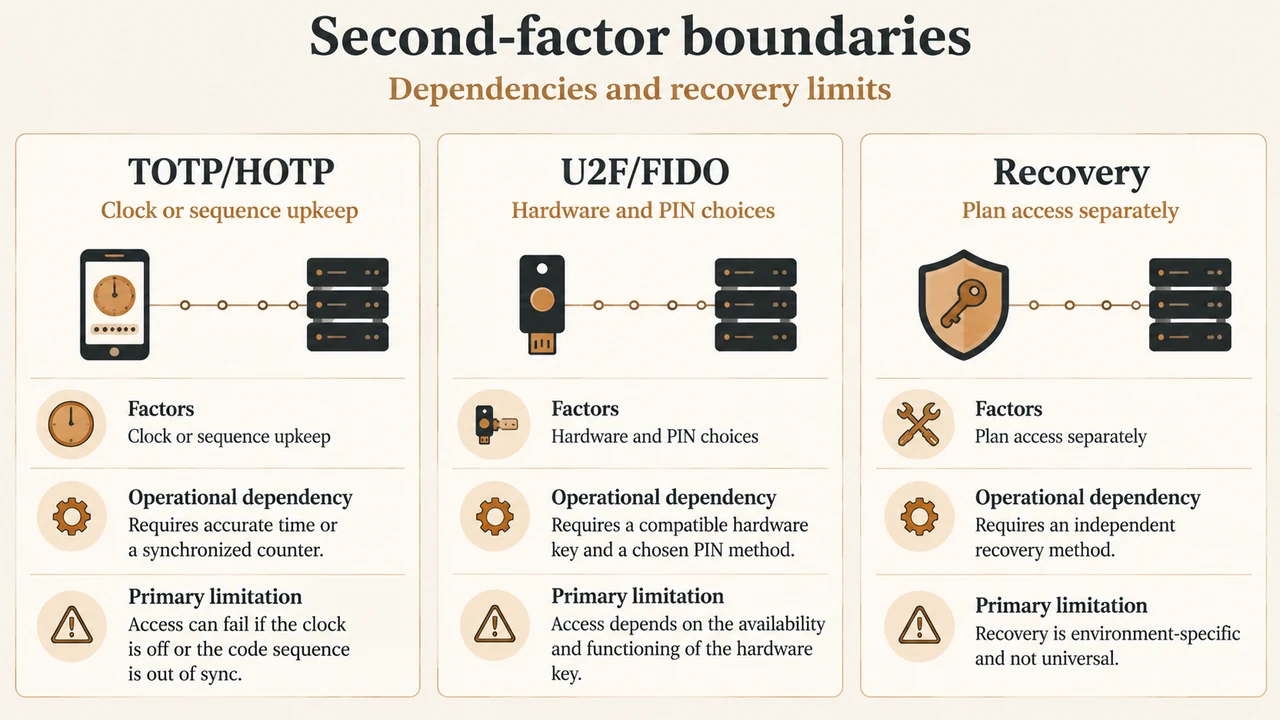
TOTP is generally preferable when the 2FA device supports it, according to Ubuntu’s guide. TOTP uses the current time, so the server and client must agree on the time. Clock skew can cause codes to fail. HOTP uses a sequence instead; if codes are generated without the server keeping pace, the sequence can become unsynchronized and may require an out-of-band reset.
The documented Ubuntu procedure uses libpam-google-authenticator, which Ubuntu identifies as part of the universe archive component with best-effort community support. That support limitation should be part of the decision, especially for administrators who need a package with a different support expectation.
When public key plus U2F/FIDO fits
Choose U2F/FIDO when administrators can issue and protect hardware authentication devices. Ubuntu documents that the token must be present to use the private key and complete authentication. OpenSSH supports ecdsa-sk and ed25519-sk key types; Ubuntu notes that ecdsa-sk has broader hardware support, while ed25519-sk may require a more recent device.
FIDO2 resident keys add a separate trade-off. Ubuntu explains that part of the key can be retrieved from the token, but also warns that resident keys can increase the likelihood that someone with a stolen token can use it. The guide says users should set a token PIN before creating resident keys.
Documented configuration boundaries
Ubuntu’s TOTP/HOTP guide warns against configuring U2F/FIDO and TOTP/HOTP at the same time. The guide says that combination has not been tested and that, with its presented configuration, TOTP/HOTP would become mandatory for everyone, whether or not they also use U2F/FIDO. This article therefore treats them as alternative second-factor paths, not as a combined configuration.
The TOTP/HOTP configuration also has version scope. Ubuntu says that Ubuntu 20.04 LTS and earlier use ChallengeResponseAuthentication yes instead of KbdInteractiveAuthentication yes. The supplied excerpts do not establish a complete version matrix for newer Ubuntu releases or every OpenSSH build.
A safer decision and rollout order
Ubuntu’s documentation establishes this order for the documented TOTP/HOTP setup:
- Set up and independently test public-key authentication.
- Have each user configure the required TOTP/HOTP secret.
- Configure the SSH and PAM settings for the second factor.
- Validate the SSH configuration before restarting or reloading the service.
The reason is practical: Ubuntu warns that users who do not configure both required parts first may lose the ability to set them up over SSH after the mandatory configuration is enabled.
For any remote SSH configuration change, Ubuntu recommends checking the configuration with sudo sshd -t before restarting. It also warns that a mistake can lock administrators out or prevent the SSH service from starting. Keep an already working access path available while validating a change, and confirm the new authentication path before ending the existing session. The supplied primary excerpts do not define a universal console, recovery-account, or provider-specific recovery procedure, so those should be confirmed separately for the server environment.
Backup and lockout questions to answer first
Before choosing an option, document how each administrator will recover access if the authentication factor is lost.
- For key-only SSH, identify where approved public keys are recorded and how a replacement key can be authorized.
- For TOTP/HOTP, Ubuntu lists backup or cloud sync, printed emergency codes, a protected QR-code copy, and— for TOTP—enrollment on multiple devices as possible preparations. It also warns that backup copies can reduce the security benefit if someone else obtains them.
- For U2F/FIDO, decide how users will obtain an authorized replacement or alternate access path. The supplied FIDO excerpt explains device and resident-key behavior but does not provide a complete organizational recovery plan.
Do not treat any one backup method as automatically safe. The right choice depends on who can access the backup and how the server owner can restore authorization.
Decision summary
Use key-only SSH when simplicity and public-key access are the priority and the remaining private-key risk is acceptable. Use public key plus TOTP/HOTP when a hardware token is not practical and the team can manage clock, package-support, and recovery concerns. Use public key plus U2F/FIDO when hardware tokens are practical and the strongest documented 2FA option is the priority. Do not present TOTP/HOTP and U2F/FIDO as a combined configuration based on these excerpts.
Research method and limitations
This article was prepared only from the supplied public Ubuntu Server documentation excerpts retrieved on September 23, 2026, plus the supplied competitor excerpts for coverage review. The Ubuntu passages support the stated OpenSSH, TOTP/HOTP, and U2F/FIDO behaviors, but they do not establish every release-specific default, every hardware compatibility outcome, or a complete recovery design. The competitor material was truncated and was not used as technical authority. No hands-on, lab, benchmark, support, or comprehensive-review claim is made.
Text version of the diagrams
- Three SSH authentication paths: Key-only — One key-based factor; TOTP/HOTP — Key plus code; U2F/FIDO — Key plus hardware
- Second-factor boundaries: TOTP/HOTP — Clock or sequence upkeep; U2F/FIDO — Hardware and PIN choices; Recovery — Plan access separately